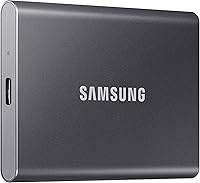
Crucial X9 1TB Portable SSD Review: Worth It? (November 2026)
The Crucial X9 1TB is the drive to buy if you want fast, tough everyday storage at a fair tier. Its 1050MB/s USB-C speed and IP55 rating cover most people, and only a higher write speed or aluminum body pushes you toward the alternatives.
On this page (8 sections)
The Crucial X9 1TB is the drive to buy for everyday fast storage, and this Crucial X9 1TB portable SSD review explains why it earns our top score. Its 1050MB/s USB-C speed and IP55 rating cover most people, and only a higher write speed or aluminum body pushes you toward the alternatives.
The Crucial X9 1TB at a glance
The X9 is a light, tough USB-C drive built for casual gamers and everyday use. Crucial targets people who move big files now and then rather than professionals with heavy daily workloads.
Crucial X9 1TB Portable SSD: Best for everyday backups and game libraries

- Up to 1050MB/s read
- IP55 water and dust resistance
- Drop resistance to 7.5 ft
- USB-C and USB-A compatibility
A light, tough USB-C drive that moves large files quickly and takes knocks. Choose it for everyday backups, media libraries and PS4 or PS5 game storage.
Pros
- IP55 water and dust resistance
- Drop protection to 7.5 ft
- Only 32 g, so it disappears in a pocket
- Works with Windows, Mac, iPad Pro, Chromebook, Android, Linux and PS4 or PS5
- Three months of Mylio Photos+ and Acronis True Image included
Cons
- Polycarbonate shell feels less premium than aluminum
- The write speed isn't published, only the 1050MB/s read figure
At 32 g it disappears into a pocket, and the IP55 rating means dust and splashes don't end the trip. That combination is what lifts it above drives with softer shells.
What the score of 9.6 means
Our score weighs specs, features and buyer feedback against what you're shopping for. The X9 earns 9.6 because it covers speed, durability and compatibility without a weak spot in the list.
The Sandisk Extreme matches that score for a different reason: tougher ratings and a published write speed. We call the X9 the overall pick because its light body and broad compatibility suit more people's daily routine.
What the speed figures leave out
The published figure is read speed, and that's the number most everyday tasks lean on. Copying files from the drive to a laptop, opening a photo folder or launching a game all pull data off the drive rather than pushing it on.
Write speed matters when files go the other way, such as moving a photo library onto the drive or exporting a finished video. Crucial doesn't state a write figure for the X9, so the read number is the only speed claim you can hold the brand to.
The USB 3.2 interface and the 10 gigabits per second transfer rate set the ceiling for the port, not the drive alone. The host laptop, the cable and the file size all shape what you see in practice.
Who is the Crucial X9 built for?
The X9 suits students, commuters and casual gamers who keep a drive in a bag and want it to work on whatever computer they sit down at. It also fits anyone adding storage to a PS4 or PS5 without opening the console.
Skip it if your work depends on sustained writes. A photographer dumping several cards at once, or a video editor exporting long timelines, gets more from a drive with a stated 1000MB/s write speed.
For most people, though, file transfers are bursts rather than marathons. The X9's read speed is the headline and the one most tasks lean on.
Students and people with a single laptop
The typical buyer has one laptop with a small internal drive. Class notes, a photo library and a folder of downloaded films push it toward full, and the X9 takes the overflow.
It works on the laptop at home and plugs into a lab or library machine when needed. Because it needs no software to mount, there's nothing to install on a computer you don't own.
Console owners adding game storage
Console owners get a simple upgrade. Crucial lists PS4 and PS5 among the compatible devices, and the drive connects over USB-C or USB-A.
The console sees it as external storage for games kept on the drive. Load times won't match the internal SSD, but the library gets room to grow without opening the console.
People who should look elsewhere
Skip the X9 if you copy large files onto the drive all day. The published read figure doesn't tell you how fast data lands on the drive, and the Sandisk and Samsung drives both state a 1000MB/s write speed.
Skip it too if you want a metal body in hand. The polycarbonate shell is durable, but the Samsung T7's aluminum unibody feels more solid.
Specs that matter in daily use
The 1050MB/s read speed is the number to remember, because it's what makes large files feel instant. Crucial says the drive accelerates large transfers, media editing and backups compared with a traditional hard drive.
The 1TB capacity holds a big photo library, a Steam folder or years of backups. The drive uses USB 3.2 over USB-C, and the data transfer rate works out to 10 gigabits per second, which is the ceiling for this class of port.
Durability is where the spec sheet earns its keep. The X9 carries IP55 water and dust resistance and survives drops up to 7.5 ft (2 meters), which is more than most laptops manage.
At 32 g and a 2.5-inch form factor, the drive sits in a pocket like a large pebble. The polycarbonate shell is the trade-off: it's tough but doesn't feel like metal.
Compatibility is broad on purpose. It works with Windows, Mac, iPad Pro, Chromebooks, Android, Linux, PS4, PS5 and Xbox, so the same drive can follow you between a work laptop and a console.
Capacity in real terms
One terabyte sounds endless until video and games land on it. A large photo library, a folder of 4K clips and a few modern games will fill it faster than most people expect.
The drive holds 1 TB as sold, and the formatted capacity is always a little less. Plan around that and leave some free space so writes don't slow as the drive fills.
Speed and the port you plug into
The 1050MB/s figure needs a host device and cable that support USB 3.2. Plug the same drive into an older USB-A port and it still works, but transfers drop to whatever that port allows.
That's the practical lesson for daily use. The drive is fast when the laptop is recent, and it's merely fine when the laptop is old.
Neither is a fault of the drive.
Setting up the Crucial X9
Setup takes one cable and no software, since the drive mounts like any USB storage on Windows, Mac, Android and consoles. Plug the USB-C end into the drive and the other end into your device.
The box includes a USB-C to USB-C cable, which covers modern laptops, iPads and many Android phones. Older laptops and desktops with USB-A ports need a USB-C to USB-A cable or adapter, so check your ports before you start moving files.
If you plan to use the drive as your working storage rather than a backup, our guide on how to use an external SSD on a laptop walks through formatting, drive letters and keeping files in one place.
Registration brings in the bonus software. Crucial includes three months of Mylio Photos+ and a three-month Acronis True Image subscription, the second aimed at cloning and scheduled backups.
Acronis is worth setting up on day one if you're moving files off an aging laptop. Clone the drive, keep the image on the X9 and you have a recovery path if the internal disk fails.
Moving your files over
Start with a single folder rather than the whole drive. Copy it across, open a few files from the X9 to confirm they read fine, then delete the originals from the laptop if space is the goal.
Do the big move in one sitting. Unplugging mid-copy is the most common way people corrupt files on an external drive.
Setting up the bundled software
Mylio Photos+ is the photo side of the bundle. Three months gives you time to test whether its library tools fit how you organise pictures.
Acronis True Image is the backup side. It handles cloning and scheduled backups, so set a schedule and leave it running rather than remembering to copy files by hand.
Keeping the drive healthy over time
Treat the X9 as a gadget you can trust, not one you can abuse, and it should last years. The IP55 rating covers splashes and dust, not a swim, so keep the port flap clean and dry.
Eject the drive before unplugging it. Yanking a drive during a write can corrupt the files being copied, and on a console it can cut power mid-save.
Leave a little free space. A drive that's nearly full slows down writes, and 1TB fills faster than people expect once video and game assets land on it.
Keep the cable in the same bag as the drive. A missing USB-C cable makes a portable drive useless, and the short bundled one is easy to lose.
Wipe the shell with a dry cloth rather than a wet one, and avoid leaving the drive in a hot car. Keep the purchase record safe too.
Care when the drive travels
The IP55 rating is about water and dust, not impact from every angle. The 7.5 ft drop figure covers a fall, not a drive tossed into a bag with loose keys.
A small pouch solves both. It keeps the port free of grit and stops the shell taking scratches from whatever else is in the bag.
Care on a console or desk
On a console the drive sits plugged in for long stretches. Give it air rather than burying it behind the console, and don't stack anything on top.
On a desk, don't move the drive while it's writing. The light body makes it easy to knock off a table, and the drop rating is there for accidents rather than routine handling.
If you switch between phone and laptop, our roundup of the best external SSD for iPhone covers which drives handle iOS storage best.
The trade-offs worth knowing
The X9's main trade-off is the polycarbonate shell, which feels less premium than the aluminum body on the Samsung T7. That's a preference rather than a durability issue, given the drop rating.
The second is the missing write speed. Crucial publishes the 1050MB/s read figure but not a write number, while Sandisk and Samsung both state 1000MB/s writes.
If you copy huge files toward the drive all day, that's the gap to weigh.
The third is cable support for older hardware. A computer with only USB-A ports needs an extra cable, which isn't in the box.
The missing write figure in context
Read speed shapes opening files, launching games and playing back footage. Write speed shapes copying onto the drive and exporting finished work.
For a backup drive used now and then, the read figure covers most of the experience. For a drive used as working storage every day, the write number matters more and its absence is a real gap.
Cable support for older machines
The bundled cable is USB-C to USB-C. Recent laptops, iPads and many phones have that port, so the drive works out of the box.
A desktop tower or an older laptop with USB-A needs an adapter or a second cable. Budget for that before the drive arrives, because a USB-A port won't take the bundled cable on its own.
How the X9 compares with the alternatives
The X9 wins on weight and everyday fit, but two rivals answer specific needs better. Both are worth a look before you settle.
Sandisk Extreme Portable SSD: the tougher option
The Sandisk Extreme is the pick for travel in rough weather. Its IP65 rating and 3 m drop protection beat the X9's IP55 and 7.5 ft figures on paper, and it adds 256-bit AES hardware encryption plus a carabiner loop.
It also publishes a 1000MB/s write speed. If you move footage off cards in the field and want the files protected, the encryption alone is a reason to pick it.
The encryption runs in hardware and uses 256-bit AES. Setting it up adds a step on each new computer, so it's a feature for people with private content rather than everyone.
Samsung T7: the aluminum pick for video
The Samsung T7 is the choice for phone video work. It records iPhone 15 Pro ProRes 4K at 60fps straight onto the drive, which matters if your footage starts on a phone.
The solid aluminum unibody and 6 ft drop protection make it the sturdiest-feeling of the three. It scores 9 because it offers less on paper than the two drives above it, but video shooters will find its phone recording worth paying for.
It also ships with both USB-C to C and USB-C to A cables. That solves the older-port problem the Crucial leaves you to sort out yourself.
For a wider view of what else competes in this class, our Samsung T9 review covers the faster drive above the T7, and the roundup of the best external SSDs ranks the whole field.
Verdict: should you buy the Crucial X9 1TB?
Buy the Crucial X9 1TB if you want one fast, light USB-C drive for backups, media and PS4 or PS5 games. This Crucial X9 1TB portable SSD review finds no deal-breaking flaw for everyday use, and the IP55 rating and 32 g body make it easy to carry.
Pick the Sandisk Extreme instead if the drive rides outdoors in dust and rain, or if you want hardware encryption on every file. Pick the Samsung T7 if you record video on an iPhone 15 Pro and want an aluminum shell.
For everyone else, the X9 is the drive to order first and stop thinking about.
Frequently asked questions
Does the Crucial X9 work with a PS5?
Crucial says it connects to PS4 and PS5 over USB-C and USB-A, so it works for storing and playing games kept on the drive. It plugs into the console's USB ports rather than the internal expansion slot, so load times can be slower than from the built-in SSD.
Can I use the Crucial X9 with an iPad Pro?
Yes. Crucial lists iPad Pro among the compatible devices, and the drive uses USB-C, which recent iPad Pro models have.
You can move photos and video files between the iPad and the drive with the Files app once the drive is connected.
Is the Crucial X9 fast enough for video editing?
Its 1050MB/s read speed is quick enough for editing high-resolution photos and 4K video stored on the drive. Work with clips on the drive rather than copying huge projects back and forth, and keep the drive's write speed in mind for large exports.
What comes in the box with the Crucial X9?
You get the Crucial X9 drive, a USB-C to USB-C cable and a code for three months of Mylio Photos+. Registration also gets you a three-month Acronis True Image subscription, which covers cloning and backup tasks.