9 Best External SSDs for Everyday Storage (October 2026)
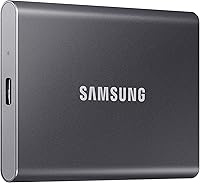
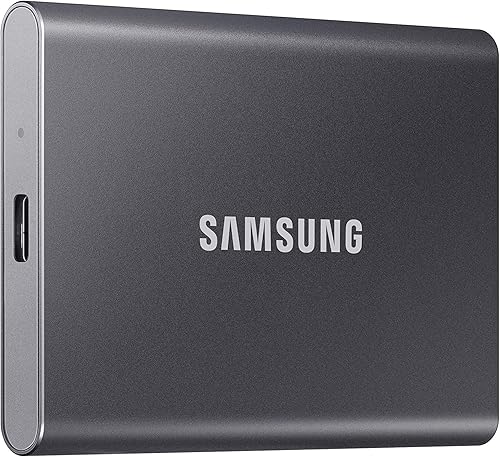
The best external SSDs for everyday storage include the Samsung T7 Shield Portable SSD 1TB for everyday carry, the Samsung T7 Portable SSD 1TB for desk storage, and the SanDisk Extreme Portable SSD 2TB for large libraries.
On this page (11 sections)
- Best External SSDs for Everyday Storage
- How we chose these external SSDs
- The best external SSDs for everyday storage
- How to choose the best external SSD for your devices
- How much capacity do you need in an external SSD?
- Do external SSD speed ratings matter for everyday use?
- Should you choose a rugged external SSD?
- How should you set up an external SSD?
- What common external SSD mistakes should you avoid?
- How do you keep everyday files safe?
- Which external SSD should you choose?
Best External SSDs for Everyday Storage
The Samsung T7 Shield Portable SSD 1TB is the best external SSD for everyday storage for most people, with USB 3.2 Gen 2 and resistance to water, dust and drops. Choose a 2TB model if you need more space for a photo or project library.
An external SSD can hold documents, photos, video projects and backup copies. Choose based on capacity, your devices and whether you carry the drive around.
For a broader look at drive types and capacities, see our guide to best external storage drives for home computers.
Our picks at a glance
-
1

-
2
-
3

How we chose these external SSDs
We compared each drive's capacity, connection type, stated speed and features with common everyday storage needs. The scores reflect how well each set of features fits those needs.
A speed rating is a ceiling under the right conditions, not a promise for every computer. Check your device's port and cable, especially for drives that need USB 3.2 Gen 2 or Gen 2x2 to reach their stated maximum.
| Product | Best for | Capacity | Connection | Protection | Our score |
|---|---|---|---|---|---|
| Samsung T7 Shield Portable SSD 1TB | everyday carry | 1TB | USB 3.2 Gen 2 | IP65 water and dust resistance; drop resistance up to 9.8 ft | 9.1 |
| Samsung T7 Portable SSD 1TB | desk storage | 1TB | USB 3.2 Gen 2 | Shock resistant; drop protection up to 6 ft | 9.0 |
| SanDisk Extreme Portable SSD 2TB | large libraries | 2TB | IP65 water and dust resistance; up to 3-meter drop protection | 8.9 | |
| Samsung T9 Portable SSD 1TB | compatible computers | 1TB | USB 3.2 Gen 2x2 | 8.6 | |
| Samsung T9 Portable SSD 2TB | high-speed projects | 2TB | USB 3.2 Gen 2x2 | 8.5 | |
| SanDisk Extreme Portable SSD 1TB (2000MB/s) | encrypted carry | 1TB | IP65 water and dust resistance; up to 3-meter drop protection | 8.3 | |
| Lexar ES3 Portable SSD 1TB | light travel | 1TB | USB 3.2 Gen 2 | 8.0 | |
| SanDisk Portable SSD 2TB | simple file storage | 2TB | Up to 2-meter drop protection | 7.8 | |
| SSK Portable SSD 1TB | older USB ports | 1TB | USB 3.2 Gen 2 | 7.6 |
The best external SSDs for everyday storage
The Samsung T7 Shield is the top pick for regular carry, while the other options suit larger libraries, compatible high-speed setups or specific cable needs. Choose based on the job, then compare speed claims and device support.
Samsung T7 Shield Portable SSD 1TB: Best for everyday carry
- 1TB capacity
- USB 3.2 Gen 2
- Up to 1,050 MB/s read and 1,000 MB/s write
- IP65 water and dust resistance
- Drop resistance up to 9.8 ft
The T7 Shield combines 1TB of storage with resistance to water, dust and drops. It suits everyday carry when you want added protection in a portable SSD.
Pros
- IP65 water and dust resistance
- Drop resistance up to 9.8 ft
- Supports PC, Mac, Android devices and gaming consoles
Cons
- Maximum speeds depend on a compatible host and cable
- 1TB may not fit a large photo or video archive
The T7 Shield combines 1TB of storage with IP65 water and dust resistance and drop resistance up to 9.8 ft under controlled conditions. That makes it a useful choice if you carry the drive in a backpack or work bag.
It connects over USB 3.2 Gen 2 and supports PC, Mac, Android devices and gaming consoles. Samsung gives read speeds up to 1,050 MB/s and write speeds up to 1,000 MB/s when the host, cable and UASP mode support them.
At 1TB, it has room for a working photo library, documents and active projects, though a large archive may need more space. Samsung Magician software can monitor drive health, protect data and provide updates.
Choose it for a portable drive with added protection. Skip it if you need a large archive on one drive and prefer 2TB capacity.
Samsung T7 Portable SSD 1TB: Best for desk storage
- 1TB capacity
- USB 3.2 Gen 2
- Up to 1,050 MB/s read and 1,000 MB/s write
- Shock resistant
- Drop protection up to 6 ft
The standard T7 offers a slim design, fast transfers and broad device support. It fits desk use and careful everyday carry.
Pros
- 2.08 oz weight
- Up to 1,050 MB/s read and 1,000 MB/s write
- USB Type-C to C and Type-C to A cables included
Cons
- No stated water and dust resistance
- Maximum speeds require a compatible host and cables
The standard T7 offers much of the Shield's speed in a slim design. It provides up to 1,050 MB/s read and 1,000 MB/s write speeds, with the same USB 3.2 Gen 2 connection requirement for maximum performance.
Samsung lists compatibility with PCs, Macs, smartphones, tablets and gaming consoles. The T7 includes USB Type-C to C and Type-C to A cables for different computer ports.
Its stated drop protection is up to 6 ft under controlled conditions. It has no stated IP65 water and dust resistance, so it fits desk storage and careful everyday carry better than rougher trips.
Choose it for compact daily storage around home, work or school. Skip it if dust and water resistance are essential for your usual environment.
SanDisk Extreme Portable SSD 2TB: Best for large libraries
- 2TB capacity
- Up to 1,050 MB/s read and 1,000 MB/s write
- IP65 water and dust resistance
- Up to 3-meter drop protection
- Carabiner loop
This 2TB SanDisk drive has room for a larger collection of files, along with water and dust resistance and a loop for attaching it to a bag.
Pros
- 2TB capacity
- IP65 water and dust resistance
- Carabiner loop
Cons
- Speed depends on the host device and other conditions
- Use it clean and dry, as SanDisk advises
The SanDisk Extreme gives you 2TB of capacity with a carabiner loop, water and dust resistance, and a portable design. That extra room can suit a larger photo collection or several active projects.
SanDisk states read speeds up to 1,050 MB/s and write speeds up to 1,000 MB/s. Actual performance depends on the host device, interface and usage conditions.
SanDisk's product information gives different drop protection details, so don't rely on a specific drop rating. Its stated IP65 rating is based on controlled conditions, and SanDisk says the drive must be clean and dry before use.
Choose it if you want 2TB and a loop for attaching the drive to a bag. Skip it if you need a clearly defined drop rating for your buying decision.
Samsung T9 Portable SSD 1TB: Best for compatible computers
- 1TB capacity
- USB 3.2 Gen 2x2
- Up to 2,000 MB/s read and write
- Dynamic Thermal Guard
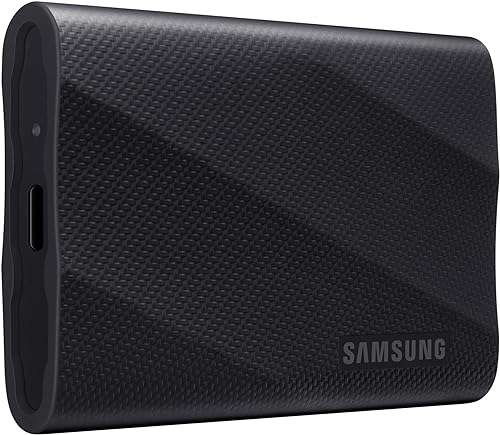
The T9 is the speed-focused 1TB option here. It makes most sense if your computer and cable support USB 3.2 Gen 2x2.
Pros
- Up to 2,000 MB/s read and write
- Dynamic Thermal Guard
- Compatible devices include PCs, Macs, tablets and some consoles
Cons
- Maximum speeds require USB 3.2 Gen 2x2 and UASP
- Everyday transfers may not benefit from its higher speed ceiling
The Samsung T9 is the speed-focused 1TB pick, with up to 2,000 MB/s read and write speeds. Reaching that maximum requires a host device and cable that support USB 3.2 Gen 2x2, along with UASP.
Dynamic Thermal Guard manages heat during heavier work. The drive supports PCs, Macs, tablets and some gaming consoles, though compatibility varies by host.
Most everyday file storage does not need the highest speed ceiling. Check your computer's connection first to see whether the T9's extra speed fits your setup.
Choose it for large transfers on a compatible computer. Skip it if your device lacks Gen 2x2 support or your usual files are small.
Samsung T9 Portable SSD 2TB: Best for high-speed projects
- 2TB capacity
- USB 3.2 Gen 2x2
- Up to 2,000 MB/s read and write
- Dynamic Thermal Guard
The 2TB T9 combines more storage with the same stated speed ceiling as the 1TB version. Check host and cable support before choosing it for speed.
Pros
- 2TB capacity
- Up to 2,000 MB/s read and write
- Dynamic Thermal Guard
Cons
- Maximum speeds need USB 3.2 Gen 2x2 and UASP
- Host compatibility can vary
The 2TB Samsung T9 pairs more room with the same up to 2,000 MB/s speed claim as the 1TB model. It's a fit for larger active projects when your computer supports USB 3.2 Gen 2x2 and UASP.
Samsung says Dynamic Thermal Guard helps manage heat during sustained work. Device compatibility can vary, so check your computer or console before relying on a particular setup.
Extra capacity can reduce how often you need to move older projects elsewhere. It does not change the connection requirements for maximum speed.
Choose it for larger projects and a compatible high-speed setup. Skip it if you don't need 2TB or your computer cannot use its speed advantage.
SanDisk Extreme Portable SSD 1TB (2000MB/s): Best for encrypted carry

- 1TB capacity
- Up to 2,000 MB/s read speed
- IP65 water and dust resistance
- Up to 3-meter drop protection
- 256-bit AES password protection
This SanDisk 1TB model combines a stated read speed up to 2,000 MB/s with water, dust and drop protection, plus password protection.
Pros
- Up to 2,000 MB/s read speed
- IP65 water and dust resistance
- 256-bit AES password protection
Cons
- Write speed is lower than read speed
- Full speed depends on the host, interface and conditions
This SanDisk Extreme is a 1TB rugged option with a stated read speed up to 2,000 MB/s. It also offers IP65 water and dust resistance, drop protection up to 3 meters and 256-bit AES password protection.
SanDisk notes that write speeds are lower than read speeds. The maximum read figure depends on your host device, interface and usage conditions, and password protection requires software on supported Windows and macOS versions.
Its pocket-sized design suits carrying between a laptop and a desk. Check whether your devices support the connection and encryption software before making it your main drive.
Choose it for 1TB storage with a rugged design and password protection. Skip it if you want 2TB or prioritize the same read and write speed ceiling.
Lexar ES3 Portable SSD 1TB: Best for light travel

- 1TB capacity
- Up to 1,050 MB/s read and 1,000 MB/s write
- 45 g weight
- USB-C cable included
- 256-bit AES encryption software
The ES3 is a thin, light 1TB option with a USB-C cable and encryption software. It fits a pocket or small bag for carrying between devices.
Pros
- 45 g weight
- USB-C cable included
- Supports phones, laptops and consoles
Cons
- Maximum speed requires USB 3.2 Gen 2 support
- MagSafe is not available on this version
The Lexar ES3 is a thin 1TB drive that weighs 45 g, with a USB-C cable included. Lexar states read speeds up to 1,050 MB/s and write speeds up to 1,000 MB/s when the computer and cable support USB 3.2 Gen 2.
It supports phones, laptops, cameras and consoles. Lexar DataShield software provides 256-bit AES encryption, and MagSafe is not available on this version.
The ES3's light build can suit a small bag or pocket. Its speed falls back on slower ports, so confirm your device's connection before expecting the maximum.
Choose it for a lightweight drive with broad device support. Skip it if you specifically want MagSafe or a rugged water and dust rating.
SanDisk Portable SSD 2TB: Best for simple file storage

- 2TB capacity
- Up to 800 MB/s read speed
- Up to 2-meter drop protection
- Rubber hook
This 2TB drive has more room than the 1TB picks and a lower stated read speed. It suits file storage when top transfer speeds aren't the main need.
Pros
- 2TB capacity
- Up to 2-meter drop protection
- Rubber hook for attaching to a bag
Cons
- Read speed is up to 800 MB/s
- SanDisk identifies it as an old model
This SanDisk Portable SSD gives you 2TB of storage with read speeds up to 800 MB/s. It is a capacity-first option for everyday file storage when faster transfer speeds aren't essential.
The drive has up to 2-meter drop protection and a rubber hook for securing it to a bag. SanDisk identifies this as an old model.
Its lower speed ceiling may be enough for storing documents, photos and backup copies. If you often move large video files, compare it with a faster model.
Choose it for 2TB capacity and portable storage. Skip it if fast transfers are a regular part of your work.
SSK Portable SSD 1TB: Best for older USB ports

- 1TB capacity
- Up to 1,050 MB/s read and 1,000 MB/s write
- USB-C and USB-A cables
- Aluminum case
The SSK includes USB-C and USB-A cables for connecting to devices with different ports. Its aluminum case is compact and light.
Pros
- USB-C and USB-A cables included
- 36.6 g weight
- Up to 1,050 MB/s read and 1,000 MB/s write
Cons
- Maximum speed depends on host and file conditions
- Windows may display a 1TB drive as around 931GB
The SSK Portable SSD includes USB-C and USB-A cables, making it easy to connect to computers with different ports. It has 1TB capacity and stated read and write speeds up to 1,050 MB/s and 1,000 MB/s.
Its aluminum case weighs 36.6 g, and SSK lists support for desktop computers, laptops, phones and tablets. The drive ships in exFAT format for plug-and-play use.
A Windows computer may show a 1TB drive as around 931GB because capacity is displayed differently. SSK advises using the system's safe removal option before unplugging the drive.
Choose it if you need both USB-C and USB-A cables in the box. Skip it if added water and dust resistance is a priority.
How to choose the best external SSD for your devices
The best external SSD is the one that fits your capacity needs and connects properly to the devices you use. Start by checking the port, cable and file system, then decide how much room you need.
USB-C describes a connector shape, while USB standards describe the connection's capabilities. A drive can connect to a compatible port and still run below its maximum speed if the port or cable is slower.
For a high-speed model such as the Samsung T9, look for USB 3.2 Gen 2x2 support and UASP on the host. If you don't know your computer's port standard, a drive with a lower speed ceiling may be a more practical match.
Also consider how many devices will use the SSD. A model supporting PCs, Macs, phones or consoles can be convenient, but confirm the specific device and connection before relying on that flexibility.
How much capacity do you need in an external SSD?
Choose 1TB for a working collection of documents, photos and a few active projects. Pick 2TB when you want more room for larger libraries or several years of files.
Think about what will stay on the drive at the same time. A working drive for current files needs less space than a drive holding an entire photo archive alongside video projects and backups.
A drive's stated capacity is not all available for files, and your computer may display it differently. Keep some free space for new work, and make a second copy of files you can't afford to lose.
If your goal is a large home archive, compare SSDs with external hard drives for long-term backup. A hard drive may fit that role when fast portable transfers aren't the main concern.
Do external SSD speed ratings matter for everyday use?
Speed matters most when you often transfer large files or work directly from the drive. For occasional documents and photos, device compatibility and capacity may matter more than a 2,000 MB/s rating.
The Samsung T9 requires USB 3.2 Gen 2x2 and UASP to reach its maximum speed. Other drives also need a compatible host and cable to approach their stated top speeds.
Many small files can take longer to move than a few large files, even when the total size is similar. A drive's top sequential speed describes a particular kind of transfer, so it doesn't guarantee that every folder copy will finish at that rate.
Don't pay attention to the largest speed number without checking the whole connection. Your computer, cable and drive must all support the same relevant standard for the fastest result.
Should you choose a rugged external SSD?
A rugged model can make sense if you carry a drive outdoors or often move it between locations. The T7 Shield and SanDisk Extreme models state water and dust resistance and provide drop protection details.
Resistance ratings are based on controlled conditions and do not make a drive waterproof or indestructible. Keep the drive clean and dry before connecting it, and store important files in another location too.
A rugged enclosure helps with some everyday handling risks, but it cannot prevent loss, theft or every kind of damage. A second copy of important work matters more than choosing an enclosure with the highest-sounding claim.
For desk use in a dry room, a lighter or simpler model may be enough. Match protection to the way you carry and use the drive instead of treating it as a substitute for backups.
How should you set up an external SSD?
First, connect the SSD with its included or otherwise compatible cable and check that your computer recognizes it. Before moving files, confirm that the drive has the expected capacity and that you can open and save a test file.
Some drives arrive ready to use, while others may need formatting for your operating system or intended devices. Formatting erases existing data, so check for files first and choose a file system that works with the devices you plan to connect.
If you need the SSD to move between computers, phones or consoles, check their format requirements before changing the drive. A format that works well for one device may not be accepted by another.
Create a clear folder structure before copying a large library. For example, separate active projects from archived files and make names easy to recognize, so you can find the right copy later.
Our guide to using an external SSD with a laptop covers connection and setup steps. For Apple phone storage, see external SSD options for iPhone.
What common external SSD mistakes should you avoid?
The most common mistake is expecting a fast drive to reach its top speed through any port or cable. Check the computer's connection standard and use a compatible cable, especially with models that need USB 3.2 Gen 2x2.
Another mistake is unplugging the drive while files are being copied. Wait for transfers to finish, close files that are open from the drive, then use the operating system's eject or safe removal command.
Don't assume that an external SSD is a complete backup by itself. If the only copy of a file is on one portable drive, losing or damaging that drive can take the file with it.
Avoid filling the drive until there is no room for new work. Keep a separate copy of files that matter, and check both copies occasionally so you know they remain accessible.
How do you keep everyday files safe?
Keep a second copy of important files on a different drive or in cloud storage, since one portable drive can be lost or damaged. For Windows, see our guide to backing up Windows 11 to an external drive.
Use the operating system's safe eject option before unplugging the drive, especially during a transfer. This reduces interruptions, but you should still keep more than one copy.
Store the SSD somewhere dry and avoid leaving it connected when you don't need it. For a backup plan, make copies on separate devices or in separate locations, rather than relying on one SSD for both the only copy and the backup.
Which external SSD should you choose?
Choose the Samsung T7 Shield for a balanced 1TB drive with water, dust and drop resistance. Pick the standard T7 for slim everyday desk storage, the SanDisk Extreme for 2TB with a rugged design, or the Samsung T9 if your setup supports its higher speed.
For a lightweight option, consider the Lexar ES3. Choose the SSK if you need both USB-C and USB-A cables, or the 2TB SanDisk Portable SSD if capacity matters more to you than a higher speed ceiling.
The best external SSD for your everyday use should match your port, available space and carry conditions. If you're still comparing drive types, see best external storage drives for home computers, or start with our Windows 11 backup guide.
Best external SSD quick decisions
- For protected everyday carry: Samsung T7 Shield, 1TB.
- For a simple desk drive: Samsung T7, 1TB.
- For more room in a rugged drive: SanDisk Extreme, 2TB.
- For compatible high-speed work: Samsung T9, 1TB or 2TB.
- For a slim, light option: Lexar ES3, 1TB.
- For both USB-C and USB-A cables: SSK Portable SSD, 1TB.
- For 2TB storage with a lower speed ceiling: SanDisk Portable SSD.
FAQ
- What is the best external SSD for everyday storage? The Samsung T7 Shield is a strong everyday choice if you want a 1TB drive with water, dust and drop resistance. The standard T7 suits desk use, while a 2TB SanDisk Extreme gives you more room for a larger file collection.
Match the drive to your device's port and the amount of storage you need.
- How much storage should an everyday external SSD have? Choose 1TB for documents, a moderate photo collection and regular transfers. Pick 2TB if you keep larger libraries or projects on one drive, and leave extra space for future files.
A drive's usable space can differ from its stated capacity because operating systems and capacity units are handled differently.
- Does a faster external SSD make everyday storage faster? A faster SSD can shorten large file transfers when your computer, port and cable support its speed. The Samsung T9's up to 2,000 MB/s figure requires USB 3.2 Gen 2x2 and UASP.
For ordinary document storage, capacity and device compatibility may matter more than the highest speed rating.
- Can I use an external SSD with a laptop? Yes, if the laptop supports the drive's connection and file system. Check the port and cable before buying, since a drive may work at a lower speed when connected to an older port.
See our guide on using an external SSD with a laptop for connection and setup steps.
- Is an external SSD good for backups? An external SSD can store a backup copy of files, but one drive should not be your only copy of important data. Keep another copy on a separate drive or in cloud storage to reduce the risk of losing everything in one event.
Our Windows 11 external drive backup guide covers a practical starting point.
Our top 3 picks at a glance
-
1
-
2
-
3
Frequently asked questions
What is the best external SSD for everyday storage?
The Samsung T7 Shield is a strong everyday choice if you want a 1TB drive with water, dust and drop resistance. The standard T7 suits desk use, while a 2TB SanDisk Extreme gives you more room for a larger file collection.
Match the drive to your device's port and the amount of storage you need.
How much storage should an everyday external SSD have?
Choose 1TB for documents, a moderate photo collection and regular transfers. Pick 2TB if you keep larger libraries or projects on one drive, and leave extra space for future files.
A drive's usable space can differ from its stated capacity because operating systems and capacity units are handled differently.
Does a faster external SSD make everyday storage faster?
A faster SSD can shorten large file transfers when your computer, port and cable support its speed. The Samsung T9's up to 2,000 MB/s figure requires USB 3.2 Gen 2x2 and UASP.
For ordinary document storage, capacity and device compatibility may matter more than the highest speed rating.
Can I use an external SSD with a laptop?
Yes, if the laptop supports the drive's connection and file system. Check the port and cable before buying, since a drive may work at a lower speed when connected to an older port.
See our guide on using an external SSD with a laptop for connection and setup steps.
Is an external SSD good for backups?
An external SSD can store a backup copy of files, but one drive should not be your only copy of important data. Keep another copy on a separate drive or in cloud storage to reduce the risk of losing everything in one event.
Our Windows 11 external drive backup guide covers a practical starting point.