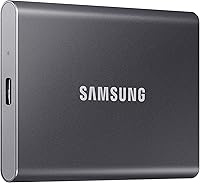
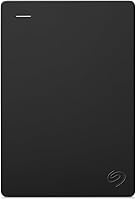
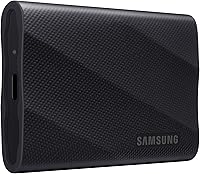
Samsung T9 Portable SSD Review: Worth It? (October 2026)
This Samsung T9 review finds it suits large projects and frequent transfers when your computer and cable support USB 3.2 Gen 2x2. Choose 1TB or 2TB based on the space your active files need.
On this page (9 sections)
- Samsung T9 review: what stands out?
- How fast is the T9 with the right connection?
- Is 1TB or 2TB the better Samsung T9 size?
- How does the T9 compare with rugged alternatives?
- What does Dynamic Thermal Guard do?
- How should you set up and care for the T9?
- Can the T9 protect private files?
- Is the Samsung T9 worth choosing?
- Related guides
The Samsung T9 is a portable SSD for large files and active projects when your computer and cable support USB 3.2 Gen 2x2. This Samsung T9 review compares its speed, capacity and heat management with alternatives that suit outdoor carry and everyday storage.
Choose the 1TB model for a focused working set or 2TB when your project folders need more room. If stated water and dust resistance matters more than the T9's higher rated speed, compare it with the Samsung T7 Shield.
Samsung T9 review: what stands out?
The T9 is a strong fit for people who move large files often and can use a compatible USB 3.2 Gen 2x2 connection. Its key advantages are high rated transfer speeds, Dynamic Thermal Guard and two capacity options.
Samsung T9 Portable SSD 1TB: Best for compact work sets
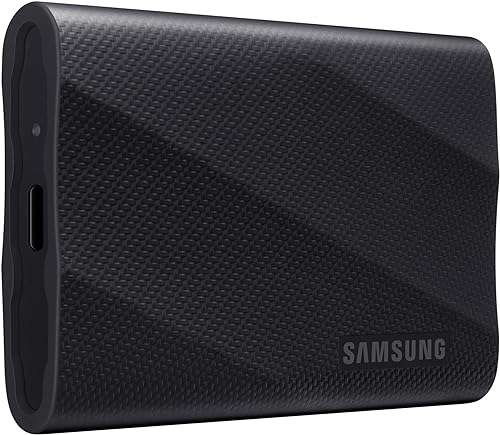
- 1TB capacity
- Up to 2,000 MB/s read and write
- Dynamic Thermal Guard
- AES 256-bit hardware encryption
The 1TB T9 suits active projects when you want Samsung's highest stated portable SSD speed and don't need the added capacity of the 2TB model.
Pros
- Up to 2,000 MB/s read and write
- Dynamic Thermal Guard manages heat
- AES 256-bit hardware encryption
Cons
- Maximum speed requires a compatible USB 3.2 Gen 2x2 host and cable
- 1TB leaves less room for large project libraries than the 2TB option
The T9 is available in 1TB and 2TB versions in this review. Samsung also offers it in capacities up to 4TB.
The 1TB version includes AES 256-bit hardware encryption, and Samsung Magician Software supports firmware updates, extra encryption and drive-health monitoring.
Device support includes Mac, PC, tablets, gaming consoles and iPhone 15/16. Samsung says the T9 supports iPhone 15 ProRes 4K at 60 fps and recommends the included SSD cable for that use.
Who should consider this Samsung T9 review pick?
The T9 suits creators, photographers and other users who regularly move large files and have a compatible host connection. It can also work as a portable working drive for someone who edits or transfers files away from a desktop.
Skip it if your work is mostly documents, light photo storage or occasional backups, or if your computer can't make use of its highest rated speed. A less expensive or lower speed SSD may be a better match for those tasks; see our guide to external SSDs for everyday storage.
How fast is the T9 with the right connection?
The T9 is rated for up to 2,000 MB/s read and write, but the maximum requires a USB 3.2 Gen 2x2 host and cable, with UASP mode enabled. Actual performance can vary with the host configuration.
Check your computer's port specifications before buying. USB-C describes the connector shape, but it does not by itself confirm USB 3.2 Gen 2x2 support.
For a real workflow, the drive is only one part of the transfer path. The port, cable and source drive can all affect copy times, and a slower connection can limit the T9 even though it remains usable.
A common mistake is to buy for the maximum speed without checking the computer first. If your current system lacks Gen 2x2 support, compare the cost and value against an SSD with a lower rated speed that better matches your ports.
Our SSD vs HDD backup guide explains when an SSD's responsiveness and portability matter more than a hard drive's role in a backup plan.
Is 1TB or 2TB the better Samsung T9 size?
Choose 1TB for a smaller active file set and 2TB if you keep larger projects or a broader working library on one drive. Both T9 versions share the same stated maximum speed and Dynamic Thermal Guard, so capacity is the main decision.
Samsung T9 Portable SSD 2TB: Best for growing libraries
- 2TB capacity
- Up to 2,000 MB/s read and write
- Dynamic Thermal Guard
- USB 3.2 Gen 2x2
Choose the 2TB T9 when your project folders need more room while you still want the T9's stated speed and heat-management feature.
Pros
- 2TB capacity, twice the 1TB option
- Up to 2,000 MB/s read and write
- Dynamic Thermal Guard manages heat
Cons
- Maximum speed depends on host and cable support
- USB 3.2 Gen 2x2 compatibility should be checked before buying
Estimate your needs from a busy project period, not just today's folder size. Video, raw image files and active project folders can grow, and temporary exports or duplicate working files also use space.
The 1TB version makes sense when you finish projects and move older files to another storage location. Choose 2TB if you prefer to keep more current work together or want more room before reorganizing files.
More space does not make a portable SSD a complete backup plan. Keep another copy of important work on a separate drive or in a trusted cloud backup, so one lost or damaged device doesn't take every copy with it.
Use our guide to choose the right external drive capacity to estimate space for your files and backups. If your library is mainly archival and rarely changes, a larger hard drive may be a better fit than paying for an SSD's speed.
How does the T9 compare with rugged alternatives?
The T9 prioritizes higher rated speeds, while the T7 Shield and SanDisk Extreme state water and dust resistance. Pick according to where you work and whether protection or speed matters more.
SanDisk Extreme Portable SSD 2TB: Best for outdoor shoots

- 2TB capacity
- Up to 1,050 MB/s read
- Up to 1,000 MB/s write
- IP65 water and dust resistance
This SanDisk has 2TB of space and stated water, dust and drop resistance for outdoor carry. Its rated speeds are lower than the T9's.
Pros
- IP65 water and dust resistance
- Up to 3-meter drop protection
- Carabiner loop
Cons
- Lower rated read and write speeds than the T9
- Maximum speeds depend on the host device and conditions
The SanDisk Extreme Portable SSD has 2TB capacity, a carabiner loop, IP65 water and dust resistance, and up to 3-meter drop protection. It suits people who carry a drive on outdoor shoots or want more space with stated protection, but its rated speeds are lower than the T9's.
Samsung T7 Shield Portable SSD 1TB: Best for rough travel

- 1TB capacity
- Up to 1,050 MB/s read
- Up to 1,000 MB/s write
- IP65 water and dust resistance
The T7 Shield trades the T9's higher rated speed for stated water, dust and drop resistance. Choose it for Samsung storage you plan to carry in less controlled settings.
Pros
- IP65 water and dust resistance
- Drop resistance up to 9.8 ft
- Works with PC, Mac, Android devices and gaming consoles
Cons
- Lower rated speeds than the T9
- 1TB capacity may not fit larger project libraries
The Samsung T7 Shield has 1TB capacity and stated IP65 water and dust resistance, along with drop resistance up to 9.8 ft. Its lower rated speeds make it a more sensible Samsung choice when a rugged carry case matters more than the T9's speed advantage.
These ratings describe specific resistance claims, not permission to expose a drive carelessly to water, dust or impacts. Keep either alternative clean and dry before connecting it, and protect all portable drives from rough handling.
For another comparison of Samsung's rugged option, read Samsung T7 vs T7 Shield.
What does Dynamic Thermal Guard do?
Dynamic Thermal Guard manages heat during heavy use, according to Samsung. That feature may matter during longer transfers or work sessions that keep the SSD busy beyond a quick file copy.
It doesn't guarantee a particular transfer speed for every workflow. Host support, cable capability and the files being moved still shape the results, so consider it a heat-management feature rather than a reason to ignore connection requirements.
Place the drive where its cable won't be pulled or pinched during a long transfer. Avoid covering it with papers or putting it somewhere it can be knocked off a desk while connected.
How should you set up and care for the T9?
Start by connecting the T9 directly to a compatible device with the included SSD cable, then confirm that your computer recognizes it before moving important files. If you want its top rated speed, check the host, cable and UASP requirements first.
Organize the drive with clear folders for active projects, completed work and backups. Before using it with a phone, console or another device, confirm that the drive's format and the device's file-handling needs match; formatting can erase existing files, so copy anything important elsewhere first.
Install Samsung Magician Software if you want to use the available drive-health monitoring, firmware updates and encryption features. Store encryption recovery information separately from the drive, and keep an independent copy of files you can't replace.
When you finish a transfer, use your computer's safe-eject option before disconnecting the cable. That small step helps avoid interrupting file writes; our guide explains how to safely eject an external drive.
Can the T9 protect private files?
The 1TB T9 includes AES 256-bit hardware encryption, and Samsung Magician Software supports extra encryption options. Set up the security features before you put private files on the drive, and keep recovery details somewhere separate and secure.
Encryption can help protect data if a drive is lost, but it doesn't prevent accidental deletion or device failure. Maintain another copy of important files on a separate device or in a trusted cloud backup.
For a general walkthrough, read our guide to password protecting an external hard drive. Follow the steps that fit your operating system and drive software.
Is the Samsung T9 worth choosing?
Buy the T9 if you regularly handle large files and your computer and cable support USB 3.2 Gen 2x2. Pick 1TB for a focused active project set, or 2TB for a larger library you want to keep together.
Choose the T7 Shield or SanDisk Extreme when their stated water and dust resistance better fits your travel or outdoor work. Skip the T9 if your tasks are light or your host connection can't use its speed advantage; a lower rated SSD may suit you better.
Related guides
- Best external SSDs for everyday storage
- Samsung T7 Shield review
- SSD vs HDD for backup
- Samsung T7 vs T7 Shield
Frequently asked questions
How fast is the Samsung T9?
Samsung rates the T9 for read and write speeds up to 2,000 MB/s. Reaching that maximum requires a host device and cable that support USB 3.2 Gen 2x2, with UASP mode enabled; performance can vary with the host setup.
Should I buy the Samsung T9 1TB or 2TB?
Choose the 1TB T9 if your active files fit comfortably in that space, or the 2TB model if you keep larger project libraries on one drive. Both have the same stated maximum speed and Dynamic Thermal Guard, so capacity is the main difference to weigh.
Is the Samsung T9 water resistant?
The T9 product information does not state a water-resistance rating. If you need stated water and dust resistance, compare the Samsung T7 Shield or SanDisk Extreme Portable SSD, which have IP65 ratings in their product information.
Can I use the Samsung T9 with an iPhone?
Samsung says the T9 supports iPhone 15 ProRes 4K at 60 fps and recommends using the included SSD cable. Host compatibility can vary, so check that your phone, cable and recording setup support the format and workflow you plan to use.