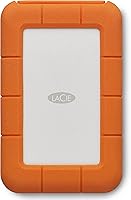
Does an External Hard Drive Increase Storage?
Yes, an external hard drive increases storage. It adds usable space you can read and write through a USB cable, without opening your computer or replacing the internal drive. The space is separate from your built-in drive, so you choose what lives on it.
On this page (8 sections)
- How does an external hard drive increase storage?
- Is the extra space really usable storage?
- How do you add storage without replacing the internal drive?
- What kinds of files should you move to the external drive?
- Do you need a fast drive or a big drive?
- Will an external drive fix a slow or full computer?
- Which drive fits your setup?
- So, does an external hard drive increase storage?
Yes, an external hard drive increases storage. It adds usable space you reach through a USB cable, without opening your computer or replacing the internal drive.
The space is separate from your built-in drive, so you decide what lives on it.
The practical effect is simple: your computer's own drive stops filling up as fast because large files can move to the external device. You get more room to store photos, video, documents and backups, and you can carry that space with you.
How does an external hard drive increase storage?
An external drive increases storage by adding a second, separate storage device that your computer reads and writes like a drive letter or a mounted volume. It plugs into a USB port and appears in your file browser as its own space.
Your internal drive stays where it is. Nothing inside the laptop or desktop changes, and its capacity doesn't grow.
This matters for a full computer. When the internal drive is nearly full, moving a large video folder or photo library to the external drive frees space on the system drive.
The external drive's capacity is the new room you gain.
It also matters for sharing. A portable external drive can move between computers, so the same storage goes with you.
A desktop-style drive usually stays plugged in at one desk. Either way, the space counts as storage your computer can use, not as a replacement for what's already inside.
Is the extra space really usable storage?
Yes, the extra space is fully usable storage, as long as the drive is connected and recognized by your computer. You can save, open, copy, delete and organize files on it just as you would on an internal drive.
The main condition is the connection. An external drive needs its cable and a working USB port.
Unplug it and those files aren't available until you plug it back in.
Speed also affects how the space feels in daily use. A mechanical portable drive is fine for storing files and backups.
A solid-state drive like the Samsung T7 moves large files faster, which matters when you edit video or work with big photo sets directly from the drive.
Capacity is stated by the maker and can differ from what your operating system shows after formatting. That gap is normal and applies to internal drives too.
Seagate states that the available storage capacity of the Portable 2TB may vary.
How do you add storage without replacing the internal drive?
You plug the drive into a USB port and let your computer recognize it. No case needs to be opened, and no internal part is swapped out.
This is the whole appeal for people who don't want to open a laptop.
- Connect the drive with its USB cable to a free port.
- Wait for the computer to detect it and show it as a drive.
- Open it and check that it's empty and writable.
- Move or copy the files you want off the internal drive.
- Eject the drive safely before unplugging it.
The Seagate Portable 2TB is built for this kind of simple setup. It works with Windows or Mac computers, and Seagate says it needs no software to be recognized, so you can drag and drop files onto it.
That makes it an easy first external drive for someone who just needs more room.
If you'd rather compare brands and capacities before buying, our guide to the best 4TB external hard drive covers larger options for bigger libraries.
What comes in the box and what do you need to supply?
The Seagate Portable 2TB includes an 18 inch USB 3.0 cable, so you don't need to buy a separate one for a normal laptop or desktop setup. The WD Elements Portable 2TB also ships with a USB cable and a quick install guide.
The Samsung T7 includes both USB Type C-to-C and Type C-to-A cables, which helps if your computer has either kind of port.
What you supply is the computer and the free USB port. You also need to think about where the drive will sit.
A portable drive is small enough to slip into a bag, while a desktop drive takes up more room on a desk. The Seagate measures roughly 4.6 by 3.15 by 0.58 inches, so it fits easily beside a laptop.
What kinds of files should you move to the external drive?
Move the large, rarely edited files first, because they free the most space with the least disruption. Media libraries and archives are the usual candidates, while active projects can stay on the internal drive.
Photos and video are the biggest space users for most people. A photo library or a folder of raw video clips can be moved to the external drive and opened from there when needed.
An external hard drive for photographers is worth considering if that's your main use.
Old documents, installers and downloaded files are easy to move too. Backups are another natural fit, since they don't need to be open all day.
Game data is another option. The Seagate lists the Sony PlayStation 4 among its compatible devices, so it can hold game saves and downloads for a console as well as a laptop.
Leave the operating system and your everyday programs on the internal drive. Moving those to an external drive can cause problems and isn't the point of adding storage.
Do you need a fast drive or a big drive?
The right balance depends on how you'll use the space. A big mechanical drive wins for storage and backups.
A fast solid-state drive wins when you work directly from the external device.
If your goal is simply more room for files you open now and then, capacity matters more than speed. A 2TB portable hard drive like the WD Elements gives you plenty of space for photos, documents and media at a modest size.
It uses SuperSpeed USB 3.2 Gen 1, which Western Digital rates at 5Gbps, and it's a mechanical drive with a 5400 rotational speed, so it's built for steady everyday storage rather than fast editing.
If you edit video or work with large files on the drive itself, speed changes the experience. The Samsung T7 Portable SSD 1TB uses USB 3.2 Gen 2 and Samsung rates read speeds up to 1,050MB/s and write speeds up to 1,000MB/s.
Those speeds make copying big files quicker than a mechanical drive. It's also small and light at about 2.08 ounces, with a solid aluminum body and shock resistance rated for falls up to 6 feet.
Our comparison of external hard drive vs cloud storage helps if you're weighing a physical drive against an online service.
Will an external drive fix a slow or full computer?
An external drive fixes a storage shortage, not a slow computer. It won't add memory, speed up the processor or make a sluggish machine feel new.
What it does is give you somewhere else to put files when the internal drive is full.
That's still a real benefit. A nearly full internal drive can leave little room for updates and temporary files.
Moving a large library to the external drive creates breathing room on the system drive.
Don't expect faster app launches or smoother multitasking from plugging in a drive. Those depend on the computer's memory and processor.
If speed is the problem, a drive isn't the answer. The same rule applies to running programs from the drive.
Some apps can live there, but everyday use depends on the USB connection and the cable, so it isn't a clean swap for a built-in drive.
Which drive fits your setup?
The best pick depends on what you store and where you use it. For most people adding storage for the first time, a portable mechanical drive is the simplest and most affordable way to gain room.
The Seagate Portable 2TB suits straightforward drag-and-drop backups and everyday file storage, with no software step to learn. The WD Elements Portable 2TB is a similar everyday option for Windows and Mac users who want plug-and-play storage.
The Samsung T7 Portable SSD 1TB is the pick when speed matters more than raw capacity, such as video editing or moving large projects between machines. It's also the most flexible on connections, with support for PC, Mac, Android devices and gaming consoles including the PlayStation 4 and PlayStation 5, plus both cable types in the box.
If the drive will stay at one desk and you want maximum capacity, compare desktop external hard drive options. For a mixed setup with cloud backup, read the cloud storage comparison first.
So, does an external hard drive increase storage?
Yes, it does increase storage, and the gain is real, separate space you can use right away through a USB connection. It doesn't change your internal drive's capacity or your computer's speed, but it takes the pressure off a full drive.
For most readers, a portable drive like the Seagate Portable 2TB is the easy first step. Pick the Samsung T7 if you need speed for large files and travel.
Choose the WD Elements if you want simple, roomy everyday storage. Whichever you choose, keep a backup of anything important, and treat the external drive as extra room rather than the only copy.
To go further with capacity and desk-based drives, our best desktop external hard drive guide covers the larger options. And if you're deciding between owning a drive and renting cloud space, the external hard drive vs cloud storage breakdown spells out the trade-offs.
Frequently asked questions
Does an external hard drive add RAM or speed up my computer?
No, an external drive adds storage space, not memory or processing power. Your computer's RAM and processor stay the same, so a slow machine won't feel faster just because you plug in a drive.
Can I use an external hard drive as my main drive?
It's possible to run some programs or store your working files on an external drive, but it's not a like-for-like swap for a built-in drive. USB speed and the cable matter, and you should keep a backup either way.
Will an external drive work with both Windows and Mac?
Many portable models are built to work with both, including the Seagate Portable Drive. Drive format matters, though, so pick a file system your computers can read, or plan to reformat when you switch platforms.
How much extra storage should I buy?
Buy at least twice what you plan to move onto the drive, so you have room to grow. A 2TB drive covers most photo, document and media libraries; 4TB and up suits large video projects and game libraries.
Is an external hard drive the same as cloud storage?
No. An external drive is a physical device you own and plug in, while cloud storage lives on someone else's servers and needs an internet connection.
Each has trade-offs in speed, access and ongoing cost.
Do I need to format a new external hard drive before using it?
Often you can plug it in and use it straight away. Some drives come set up for one operating system, so if your computer doesn't recognize the drive, formatting it for your system is the usual fix.