Best 4TB External Hard Drives: Top 8 Picks (October 2026)
The best 4TB external hard drives include the LaCie Rugged USB-C 4TB for field work, the Seagate Portable 4TB for quick setup, and the WD My Passport 4TB for secure travel.
On this page (7 sections)
- How we chose the best 4TB external hard drives
- Which best 4TB external hard drive fits your setup?
- How do you choose a best 4TB external hard drive?
- How should you set up a 4TB external hard drive?
- What common mistakes should you avoid with a 4TB drive?
- Is a 4TB external hard drive the right size?
- Which best 4TB external hard drive should you choose?
The best 4TB external hard drive for most people is the LaCie Rugged USB-C 4TB, which combines portable storage with drop, dust and drip protection. For a simpler everyday drive, pick the Seagate Portable; for a powered desk setup, consider the Seagate Expansion Desktop.
A 4TB hard drive gives you room for large photo libraries, video files and computer backups without moving to a desktop unit by default. Start with how you will use it: travel, Mac setup, added security or a drive that stays beside your computer.
For a broader look at formats and use cases, read our best external storage drives for home computers. If you are unsure whether 4TB is enough, the external hard drive size guide can help you estimate your needs.
Our picks at a glance
-
1

-
2

-
3

- 4
 Best for home officesCheck it
 - 5
 Best for Windows basicsCheck it
 - 6
 Check it
WD My Passport Ultra for Mac 4TB
Best for Mac laptops - 7
 Check it
SanDisk Professional G-Drive ArmorATD 4TB
Best for wet trails - 8
 Best for fixed backupsCheck it
How we chose the best 4TB external hard drives
The best 4TB external hard drive depends on how you plan to carry it, connect it and protect the files it holds. We compared capacity, connection type, setup needs, power requirements and stated protection features.
Portable picks make sense for a laptop bag or moving files between computers. Desktop models need a dedicated power adapter, but can work well when you want storage to stay connected in one place.
Security features also separate these drives. The WD My Passport models and WD My Book offer password protection and hardware encryption, while the LaCie Rugged adds those features alongside stated drop and weather protection.
Our scores reflect how each drive’s features suit common storage needs. Choose based on the capability that matters most for your files and routine.
| Product | Best for | Capacity | Connection | Protection | Our score |
|---|---|---|---|---|---|
| LaCie Rugged USB-C 4TB | field work | 4 TB | USB-C and USB 3.0 adapter | IP52 dust and drip protection; drop resistance up to 4 ft | 8.7 |
| Seagate Portable 4TB | quick setup | 4 TB | USB 3.0 | 8.6 | |
| WD My Passport 4TB | secure travel | 4 TB | USB-A cable; USB 2.0 and USB 3.0 compatible | 8.5 | |
| Seagate Expansion Desktop 4TB | home offices | 4 TB | USB 3.0 | 8.1 | |
| Toshiba Canvio Basics 4TB | Windows basics | 4 TB | USB 3.0 and USB 2.0 | 7.8 | |
| WD My Passport Ultra for Mac 4TB | Mac laptops | 4 TB | USB-C and USB 3.0 | 7.7 | |
| SanDisk Professional G-Drive ArmorATD 4TB | wet trails | 4 TB | USB-C | IP54 rain and dust resistance | 7.6 |
| WD My Book 4TB | fixed backups | 4 TB | USB 3.0 and USB 2.0 | 7.5 |
Which best 4TB external hard drive fits your setup?
These 4TB external hard drives serve different setups, from field work to a permanent desk backup. Choose the feature that matters most to your files and routine.
LaCie Rugged USB-C 4TB: Best for field work
- Drop resistance tested up to 4 ft
- IP52 dust and drip protection
- 256-bit AES hardware encryption
- USB-C cable and USB 3.0 adapter
The Rugged combines portable 4TB storage with stated drop, dust and drip protection. Hardware encryption and password protection add a security option for files carried outside the home.
Pros
- Drop, dust and drip protection
- Hardware encryption and password protection
- USB-C cable and USB 3.0 adapter included
Cons
- Mechanical hard drive rather than an SSD
- Protection ratings do not make it suitable for immersion
The LaCie Rugged USB-C 4TB is the top pick for carrying important files between locations. It has drop resistance specified up to 4 ft, IP52 dust and drip protection, and a 1-ton crush resistance claim.
Its USB-C cable supports newer computers, and a USB 3.0 adapter is included for older devices. Hardware encryption and password protection can help secure sensitive files if the drive is lost or stolen.
LaCie includes Rescue Data Recovery Services and a 3-year limited warranty. Those added protections make it a strong fit for creative work that moves between a home office and field locations.
This is still a mechanical hard drive, so it is not as fast as an SSD for frequent large file transfers. Choose it when physical protection and portable 4TB capacity matter more than SSD speed.
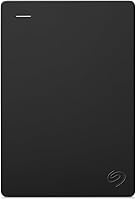
Seagate Portable 4TB: Best for quick setup
- Portable 4TB drive
- Works with Windows and Mac
- Automatic recognition with no software required
- 18 in USB 3.0 cable included
This portable drive keeps setup simple: connect it to a Windows or Mac computer and it is recognized without software. Its 18 in USB 3.0 cable is included.
Pros
- No software required for setup
- Portable form factor
- Works with Windows and Mac
Cons
- No stated hardware encryption
- No stated rugged protection
The Seagate Portable 4TB suits buyers who want to connect a drive and start storing files without installing software. It is designed for Windows and Mac computers, and automatic recognition keeps setup simple.
The included 18 in USB 3.0 cable connects directly to a computer. Seagate describes a drag-and-drop backup process, which works well for manual file copies and basic storage.
It has a portable form factor and does not call for a separate power adapter in the stated setup. That makes it an easy drive to keep near a laptop or pack for a trip.
Choose the Seagate Portable if setup simplicity matters more than built-in encryption or rugged protection. For a drive with password protection, compare it with the WD My Passport 4TB.
WD My Passport 4TB: Best for secure travel
- Portable 4TB drive
- Password protection and hardware encryption
- Included backup software with ransomware defense
- 3-year limited warranty
My Passport pairs portable capacity with password protection, hardware encryption and included backup software. The software's ransomware defense is a useful extra for buyers who want a backup routine on the same drive.
Pros
- Password protection and hardware encryption
- Backup software included
- 3-year limited warranty
Cons
- No stated rugged protection
- Backup software requires setup
The WD My Passport 4TB is a better fit when you want portable storage with added file security. It combines password protection and hardware encryption with included backup software that has ransomware defense.
The backup software and security features distinguish it from a basic plug-and-play drive. WD describes the design as slim and durable, and it includes a 3-year limited warranty.
The drive is compatible with USB 2.0 and USB 3.0, and comes with a USB-A cable. WD describes Windows and Mac support, making it a flexible option for personal computers.
Choose it if you want security tools and backup software on a portable drive. If you prefer a simpler setup without software, the Seagate Portable is a more direct option.
Seagate Expansion Desktop 4TB: Best for home offices
- Desktop 4TB drive
- USB 3.0 connection
- Power adapter included
- Drag-and-drop storage
The Expansion Desktop is designed to sit near a computer and connect to its own power adapter. It offers simple drag-and-drop storage for photos, movies, music and other files.
Pros
- Power adapter included
- Easy drag-and-drop setup
- Windows and Mac recognition
Cons
- Needs a power outlet
- Larger desktop form factor
The Seagate Expansion Desktop 4TB works best when the drive can stay near your computer. It connects by USB 3.0 and uses an included power adapter, so plan for a nearby outlet.
Setup is straightforward for Windows and Mac computers, with drag-and-drop file storage and automatic recognition. For Apple Time Machine, reformatting is required.
This drive is a sensible choice for a home office or dorm where portability is not the priority. It can hold photo, movie and music collections in one desktop location.
Choose it if you need a fixed backup drive with its own power supply. If you want to carry storage between computers, choose a portable model such as the Toshiba Canvio Basics or WD My Passport.
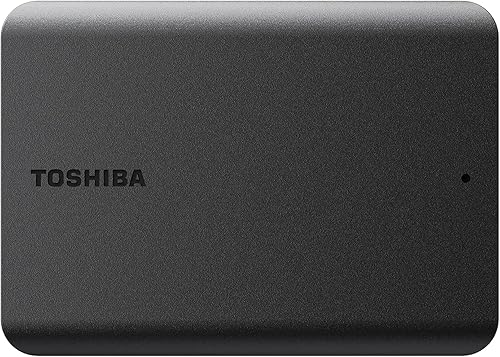
Toshiba Canvio Basics 4TB: Best for Windows basics
- Portable 4TB drive
- USB 3.0 and USB 2.0 compatible
- No external AC power cord needed
- Preformatted NTFS for Windows
Canvio Basics is a straightforward portable option with no software to install and no external AC power cord. It arrives formatted for Windows, while Mac computers require reformatting.
Pros
- No software installation required
- No external AC power cord
- USB 3.0 and USB 2.0 compatibility
Cons
- Reformatting required for Mac
- No stated encryption or rugged protection
The Toshiba Canvio Basics 4TB is a no-frills portable drive for adding storage to a Windows computer. It is preformatted as NTFS for Windows and needs reformatting before use with Mac computers.
It supports USB 3.0 and USB 2.0 and does not need an external AC power cord. Toshiba describes a plug-and-play setup with no software to install.
Its matte, smudge-resistant finish and compact shape suit a desk drawer, laptop bag or shelf. The drive offers 4TB capacity in a simple portable form without the added encryption features found on some other picks.
Choose it when easy Windows storage matters more than bundled backup or password tools. Mac users should plan for reformatting before moving files onto the drive.
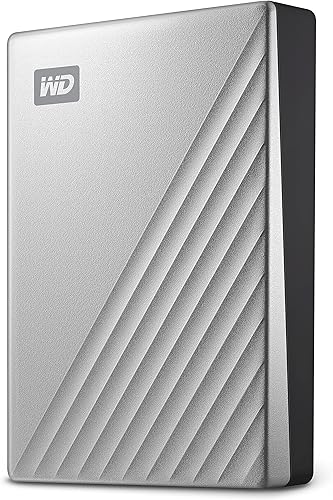
WD My Passport Ultra for Mac 4TB: Best for Mac laptops
- Formatted for Mac
- USB-C and USB 3.1 compatible
- 256-bit AES hardware encryption
- Password protection
This My Passport Ultra is formatted for Mac and includes USB-C connectivity, password protection and hardware encryption. Its metal cover gives the portable drive a distinct finish.
Pros
- Formatted for Mac
- USB-C compatibility
- Hardware encryption and password protection
Cons
- Designed for Mac
- No stated rugged protection
The WD My Passport Ultra for Mac 4TB is built around Mac setup and USB-C compatibility. It arrives formatted for Mac, and Western Digital recommends upgrading Mac computers to the latest macOS version.
The portable drive adds password protection and 256-bit AES hardware encryption. Its metal cover gives it a refined look.
USB-C and USB 3.1 compatibility can make it a convenient match for a Mac with USB-C ports. Check your computer's ports and whether you need a separate cable or adapter for your setup.
Choose this model if you want a Mac-formatted drive with hardware encryption. Windows-first buyers may find the Toshiba Canvio Basics or Seagate Portable simpler to start with.
SanDisk Professional G-Drive ArmorATD 4TB: Best for wet trails
- USB-C connection
- IP54 rain and dust resistance
- Protective bumper and aluminum enclosure
- Works with macOS; Windows requires reformatting
The ArmorATD combines a protective bumper and aluminum enclosure with IP54 rain and dust resistance. It works with macOS out of the box, while Windows use requires reformatting.
Pros
- IP54 rain and dust resistance
- Protective bumper
- USB-C connection
Cons
- Windows requires reformatting
- No stated password protection
The SanDisk Professional G-Drive ArmorATD 4TB suits people who carry files into dusty or wet conditions. Its IP54 rating covers splashing water and limited dust contact, while an aluminum enclosure and protective bumper add physical protection for portable use.
The drive uses USB-C and works with macOS out of the box. Windows users need to reformat it, so confirm your file system needs before transferring a large collection.
SanDisk Professional states read transfer rates of up to 130 MB/s, with performance varying by host device and conditions. It is a mechanical hard drive, so buyers seeking faster editing storage may prefer an SSD.
Choose the ArmorATD for a protective enclosure and USB-C connection. For password protection and hardware encryption, the LaCie Rugged or WD My Passport models offer those features instead.
WD My Book 4TB: Best for fixed backups
- Desktop 4TB drive
- 256-bit AES hardware encryption
- Backup software with password protection
- USB 3.0 and USB 2.0 compatible
My Book is desktop storage with hardware encryption and backup software that supports password protection. Its AC adapter and USB cable suit a setup that stays in one place.
Pros
- Hardware encryption
- Backup software with password protection
- AC adapter and USB cable included
Cons
- Desktop form factor
- Software download and installation required
The WD My Book 4TB is a desktop drive for a stationary backup setup with hardware encryption. It includes an AC adapter and USB cable, and works with USB 3.0 and USB 2.0.
WD includes software for device management and backup with password protection. Hardware encryption adds a security feature for files stored on the drive.
My Book needs software download and installation for its management and backup tools. That setup is a better fit for someone who wants a desktop backup routine than for a traveler who needs pocketable storage.
Choose it if the drive will stay connected near a PC or Mac and you want encryption. If you need a portable 4TB drive, the WD My Passport 4TB is easier to carry.
How do you choose a best 4TB external hard drive?
Choose a drive by matching its connection, power, format and protection to the way you will use it. Those checks matter more than a long feature list when you need the drive to work with a specific computer.
Does your best 4TB external hard drive match your computer ports?
Check your computer's ports and the cable included with the drive. The LaCie Rugged includes a USB-C cable and USB 3.0 adapter, while the WD My Passport 4TB comes with a USB-A cable.
USB-C describes the connector shape, while USB versions describe connection standards. A matching port and cable do not guarantee the same transfer speed on every computer.
Will you use a 4TB external hard drive with Mac or Windows?
Some drives arrive ready for a specific system. Toshiba Canvio Basics is preformatted for Windows, the WD My Passport Ultra for Mac arrives formatted for Mac, and the SanDisk Professional G-Drive ArmorATD works with macOS out of the box.
Reformatting can erase files already on a drive, so do it before copying important data. If you switch between Windows and Mac often, check which file system your computers can both use.
Should a best 4TB external hard drive stay at a desk?
A desktop drive needs more space and a power outlet. Both Seagate Expansion Desktop and WD My Book include an AC adapter, so they suit a fixed setup.
A portable hard drive is easier to move and usually connects directly by USB. For more options designed to stay in one place, see our best desktop external hard drives.
Will you carry your external hard drive outside your home?
If the drive travels with you, consider its enclosure and stated protection. LaCie Rugged has drop resistance up to 4 ft and IP52 dust and drip protection, while the SanDisk Professional G-Drive ArmorATD has IP54 resistance to splashing water and limited dust contact.
These ratings describe specific protection and do not mean a drive can be submerged. Keep a second copy of important work, since no portable drive removes the risk of loss or damage.
How should you set up a 4TB external hard drive?
Set up a new drive by connecting it to the computer you plan to use, confirming its format and deciding how files will be organized before copying data. Keep the first transfer simple, then verify that important folders open from the external drive.
For basic storage, Seagate Portable and Toshiba Canvio Basics are designed for simple connection and file copying without added software. WD backup software can help build a routine, but install and configure it before relying on scheduled or automatic copies.
Create a clear folder structure, such as photos, documents, video and computer backups. Avoid mixing a computer’s full backup with unrelated files if you want to find and restore specific items quickly.
Before disconnecting, close files and use the computer’s safe eject function. That gives the computer time to finish pending writes and reduces the chance of file system trouble; our guide explains how to safely eject an external hard drive.
What common mistakes should you avoid with a 4TB drive?
The most common mistake is treating one external drive as a complete backup plan. A drive can be lost, damaged or fail, so keep another copy of important files in a separate place or in cloud storage.
A second mistake is reformatting without checking what is already on the drive. Formatting can erase existing files, so copy anything you need elsewhere first and verify the target computer and file system.
Don’t assume every USB-C drive is an SSD or that every port will deliver the same speed. Several picks here are mechanical hard drives, which suit bulk storage but are not the best choice for frequent editing directly from the drive.
Do not treat a rugged rating as permission to expose a drive to any weather or water. The stated ratings have limits, and physical protection does not replace careful packing or a backup copy.
Is a 4TB external hard drive the right size?
A 4TB external hard drive suits users who need room for a large photo library, media collection or computer backup. It may be more storage than you need for occasional document copies, while video projects can use space quickly.
Think about the largest files you keep, how often you back them up and whether you plan to share the drive across computers. Our guide to how to back up Windows 11 to an external drive explains a practical computer backup workflow.
For family photos, make sure your backup plan keeps a second copy away from the drive itself. Our advice on the best way to back up photos covers multiple-copy storage.
Which best 4TB external hard drive should you choose?
Choose the LaCie Rugged USB-C 4TB if you carry important files and want stated drop, dust and drip protection with hardware encryption. Pick the Seagate Portable for easy plug-and-play storage, or the Seagate Expansion Desktop if the drive can stay beside a computer with access to power.
For Mac-ready portable storage with encryption, the WD My Passport Ultra for Mac is a focused choice. If you want a Windows-ready drive with no extra software, the Toshiba Canvio Basics is a straightforward option.
A 4TB external hard drive can hold a large backup, but it should not be your only copy of files you cannot replace. See our long-term external hard drive backup guide to plan a safer storage routine.
Our top 3 picks at a glance
-
1
-
2
-
3
Frequently asked questions
Is a 4TB external hard drive enough for photos and backups?
A 4TB drive can hold a large collection of photos, videos and computer backups, but the exact number depends on file sizes and how much space your computer uses. Keep a second copy of important files on another drive or in cloud storage.
For help estimating your needs, use our external hard drive size guide.
Should I choose a portable or desktop 4TB drive?
Choose a portable 4TB drive if you plan to carry it or connect it to different computers. A desktop model such as the Seagate Expansion Desktop needs its own power adapter, so it suits a fixed desk setup better.
Check whether your desk has an open outlet before choosing a desktop drive.
Do 4TB external hard drives work with Mac?
Several drives here support Mac, but the initial format differs. Seagate Portable is designed to work with Windows or Mac, while Toshiba Canvio Basics is preformatted for Windows and needs reformatting for Mac.
The WD My Passport Ultra for Mac arrives formatted for Mac.
Are rugged external hard drives waterproof?
Rugged ratings vary, and dust or drip protection does not mean a drive can be submerged. The LaCie Rugged USB-C has an IP52 rating for dust and drips, while the SanDisk Professional G-Drive ArmorATD has IP54 rain and dust resistance.
Protect the drive from water and follow its handling guidance.
Can one 4TB drive safely hold my only backup?
A single external drive can store a backup, but it should not be the only copy of files you cannot replace. A second drive stored separately or a cloud copy can reduce the risk that one lost, damaged or failed drive takes every copy with it.
See our long-term backup drive guide for more options.