Are External SSDs Good for Long-Term Storage?
Yes, an external SSD is good for long-term storage when you treat it as one copy and keep a second one elsewhere. Flash memory holds data for years without power, but an SSD stored alone is not a backup.
On this page (9 sections)
- What makes an external SSD a good long-term storage drive?
- How does flash memory hold data when the drive is unpowered?
- How long can an external SSD keep files without being plugged in?
- How do you set up an external SSD so it lasts?
- What are the real risks of keeping archives on an SSD?
- When should you pick an SSD over a hard drive for archives?
- Which external SSD fits long-term storage best?
- How do you keep an external SSD safe in storage?
- So are external SSDs good for long-term storage?
Yes, an external SSD is good for long-term storage when you treat it as one copy and keep a second one elsewhere. Flash memory holds data for years without power, so an archived folder on a portable SSD stays intact as long as the drive itself stays safe.
That's the short version of the question "are external SSDs good for long term storage." The longer answer covers how flash holds a charge, what shortens its life, and why a single drive never counts as a backup.
What makes an external SSD a good long-term storage drive?
An external SSD suits long-term storage because it has no moving parts and reads back in seconds when you need an old file. A hard drive's spinning platters and read head are mechanical, so a knock or a drop can stop them.
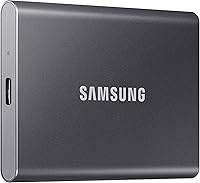
The Samsung T7 Shield 1TB shows the typical build. It reaches up to 1,050 MB/s reads over USB 3.2 Gen 2 and carries an IP65 rating for water and dust, plus a drop rating of up to 9.8 feet.
Those ratings matter for a drive that sits in a bag or a drawer. A sealed, solid case resists the dust and damp that slowly damage a spinning drive.
The trade-off is cost per terabyte. A portable SSD usually costs more than a hard drive of the same capacity, so it earns its place when speed or shock resistance matter.
Size is the other factor. The T7 Shield measures about 3.39 by 2.24 by 0.49 inches, so an archive drive takes up almost no room in a drawer or a camera bag.
How does flash memory hold data when the drive is unpowered?
Flash memory stores data as trapped electrical charge in each cell, and that charge fades very slowly even when the drive gets no power. Retention depends on how the maker builds and tests the drive, and about a year unplugged at ordinary room temperature is the safe working figure.
A portable SSD keeps its cells in NAND flash, the same type of memory as a phone or a USB stick. Charge leaks faster in heat and faster on a drive that's been written and erased many times.
Powering the drive now and then lets its controller read and refresh the cells. That's the practical routine for any SSD archive: reconnect, open the files, then copy them again.
The controller also manages wear across the cells. Samsung says its firmware and components, including DRAM and NAND, are produced in-house, which is one reason the drive health reported in its software is worth watching.
How long can an external SSD keep files without being plugged in?
Plan on about a year of unpowered storage before the data becomes at risk. In normal conditions many drives last longer, but the year is the safe working figure.
Heat is the biggest factor. A drive left in a hot car or beside a radiator loses charge faster than one kept in a cool room.
Write volume matters too. A drive used as a daily scratch disk wears its cells more than one that only receives archived files.
So the honest answer is that an external SSD is good for long-term storage when you refresh it. A drive that sits untouched for several years is a gamble, even a good one.
How do you set up an external SSD so it lasts?
Reconnect the drive once or twice a year, read a few files and copy anything you can't lose onto a second drive. That single habit does more for long-term safety than any feature.
- Keep the drive in a cool, dry place, away from sun and heat.
- Plug it in twice a year and open a few archived files to check they read.
- Copy the important folder to a second drive in a different place.
- Note the check date so you don't forget the next one.
Samsung's Magician software includes drive health monitoring. That gives you an early warning if the drive is wearing down, and it also handles firmware updates and lets you set LED colors so you can tell drives apart at a glance.
SanDisk's Memory Zone app manages files and automatically frees up space, which is handy when an archive drive also holds working files.
Can encryption help with archived files?
Yes, hardware encryption protects a drive that leaves the house. The SanDisk Extreme Portable SSD includes password protection with 256-bit AES hardware encryption, and the Samsung T9 lists AES 256-bit hardware encryption as well.
That means a lost or stolen drive doesn't hand over your archive. Set the password when the drive is new, and keep a record of it somewhere separate from the drive.
What are the real risks of keeping archives on an SSD?
The main risks are drive failure, accidental erasure and slow charge loss, and each has a simple counter. An SSD has no moving parts, but its controller and flash can still fail without warning.
- A failed controller can leave the data locked inside the drive.
- A dropped, soaked or overheated drive may stop reading.
- Ransomware or a slip of the hand can wipe a folder in seconds.
- Years without power allow charge to leak away.
A second copy handles all four. The 3-2-1 rule is the usual standard: three copies, on two types of media, with one kept off site.
For the offline copy, many readers pair an SSD with a spinning drive. Our guide to the best external hard drive for long term backup covers that side.
When should you pick an SSD over a hard drive for archives?
Pick an SSD when you'll read the archive often or carry it with you, and pick a hard drive when you want the most terabytes for the least money.
The SanDisk Extreme Portable SSD 2TB shows the case for a high-capacity flash drive. It reads up to 1,050 MB/s and writes up to 1,000 MB/s over USB 3.2 Gen 2, with IP65 dust and water resistance and up to 3-meter drop protection.
It also includes 256-bit AES hardware encryption and a carabiner loop. That combination suits a drive that travels between home and an office, either clipped to a bag or locked away.
An SSD wins when your files are photo libraries, video projects or work documents you reopen. A hard drive wins for cold, rarely touched archives where capacity per dollar rules.
Which external SSD fits long-term storage best?
The Samsung T9 1TB is the pick for heavy archive work, because its USB 3.2 Gen 2x2 connection reaches up to 2,000 MB/s. That speed turns a multi-gigabyte folder copy into a short wait, and its Dynamic Thermal Guard manages heat during longer jobs.
The T9 also carries AES 256-bit hardware encryption and a drop rating of up to 9.8 feet. That matters when an archived drive leaves the house.
One caveat with the T9: it needs a host port and cable that support USB 3.2 Gen 2x2 to hit its top speed, so check your laptop before you plan around 2,000 MB/s.
For most people, the T7 Shield 1TB is the better starting point: rugged, fast enough, and easy to find in stock. It's also the one of the three that names the widest set of consoles, from Xbox Series X and S to the Switch family and the PS5.
For more choices by size and use, see our roundup of the external SSD picks.
How do you keep an external SSD safe in storage?
Store the drive in a dry room at a steady temperature, in its own case, away from magnets and heat. A drawer in a living space works better than a garage or attic, where temperatures swing.
Keep the cable with the drive and use the included cable when you reconnect. The short cable in the box is matched to the drive, and cheap replacements can cause read errors that look like drive faults.
Avoid stacking heavy items on the drive. A solid case helps, but pressure on the connector can still bend it.
If the drive lives near your laptop, run backups on a schedule rather than by memory. Our guide on how to use an external SSD on a laptop walks through the setup.
Can you use an external SSD with a phone for archives?
Yes, and it's a useful second location for photos and videos. The T7 Shield and T9 both support iPhone 15 Pro Res 4K at 60fps video, using the included cable.
An iPhone-ready drive lets you offload a full camera roll straight to flash. Compare options in our roundup of the external SSD for iPhone.
So are external SSDs good for long-term storage?
Yes, external SSDs are good for long-term storage when you keep a second copy and refresh the drive now and then. Flash memory is fast, silent and shock resistant, which makes it a strong archive medium for files you'll reopen.
Don't rely on one SSD as your only copy. Reconnect it twice a year, keep a hard drive copy off site and watch drive health in the maker's software.
Pick the Samsung T9 1TB if you move very large files and your port supports USB 3.2 Gen 2x2. Pick the T7 Shield 1TB for most people, or the SanDisk Extreme 2TB when you want more room in a rugged, encrypted drive.
Frequently asked questions
How long can an external SSD keep data without power?
Flash memory is rated to hold data for about a year without power, though many drives do better. Reconnect and read the drive once or twice a year to refresh it, and keep a second copy in case it fails.
Should I use an SSD or a hard drive for long-term storage?
Pick an SSD for speed, portability and no moving parts, and a hard drive for cheap large capacity. For cold offline archives where you rarely read the files, a hard drive often makes more sense.
Do external SSDs lose data over time?
An SSD can lose data slowly when it sits unpowered for very long, because the cells hold a charge that leaks away. Powering it up now and then refreshes that charge, and a second copy covers you if it does not.
Is an external SSD safe in a drawer for years?
It's safe when the drawer stays cool, dry and away from magnets and heat. Check the drive at least once a year, copy anything important again, and keep the second copy in a different room or building.