9 Best External Hard Drives for MacBook Air (October 2026)
The best external storage for MacBook Air include the Samsung T7 Portable SSD 1TB for fast everyday transfers, the SanDisk Extreme Portable SSD 2TB for travel and field work, and the Samsung T9 Portable SSD 1TB for demanding file transfers.
On this page (7 sections)
- The best external hard drives for MacBook Air
- How we chose these MacBook Air drives
- Compare the MacBook Air external drives
- How do you choose the best external hard drive for MacBook Air?
- How do you set up and use a drive with a MacBook Air?
- What mistakes should you avoid with MacBook Air storage?
- Which external hard drive should you choose for MacBook Air?
The Samsung T7 Portable SSD 1TB is the best external hard drive for most MacBook Air owners who want fast transfers in a compact drive. If you need more room, choose the WD My Passport 4TB for portable backups or the WD My Passport Ultra for Mac 4TB, which comes formatted for macOS.
An external hard drive can mean any drive you connect, including an SSD. SSDs suit active projects where speed and portability matter, while mechanical hard drives offer more capacity for backups and file archives.
Use our guide to external SSDs for everyday storage if you already know you want solid state storage. If you're unsure how much room your files need, start with how to choose an external hard drive size.
Our picks at a glance
-
1
-
2

-
3
The best external hard drives for MacBook Air
For most everyday MacBook Air use, choose a portable SSD such as the Samsung T7; pick a mechanical drive when you need more space for backups or archives. Each option below fits a different balance of speed, capacity, protection and setup.
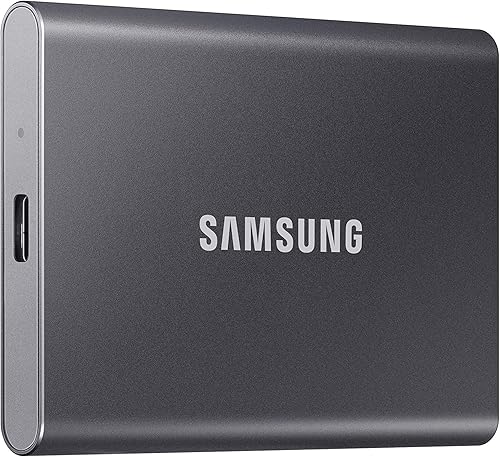
Samsung T7 Portable SSD 1TB: Best for fast everyday transfers
- 1TB capacity
- Read speeds up to 1,050 MB/s
- Shock resistance and fall protection up to 6 ft
- USB-C and USB-A cables included
A compact SSD with fast stated transfer speeds for active projects and everyday file storage. Its aluminum body and fall protection suit travel between home and work.
Pros
- Up to 1,050 MB/s read speed
- USB-C and USB-A cables included
- Mac compatible
Cons
- 1TB capacity may be limited for large archives
- Maximum speeds depend on the host and connection
The Samsung T7 suits MacBook Air owners who move large folders, photo libraries or working files. It has 1TB of capacity and stated read speeds up to 1,050 MB/s, with write speeds up to 1,000 MB/s.
Its aluminum body is shock resistant, and Samsung says it has fall protection up to 6 ft. It works with Mac, PC, smartphones and tablets, and includes USB-C to USB-C and USB-C to USB-A cables.
Maximum speeds depend on the computer, cable and USB mode. The main tradeoff is capacity: 1TB can fill quickly if you keep several years of video or photo files on one drive.
SanDisk Extreme Portable SSD 2TB: Best for travel and field work
- 2TB capacity
- Read speeds up to 1,050 MB/s
- IP65 water and dust resistance
- Up to 3-meter drop protection
This 2TB SSD combines fast stated speeds with water, dust and drop protection. Its carabiner loop gives you a way to secure it to a bag or belt loop.
Pros
- 2TB capacity
- IP65 water and dust resistance
- Hardware encryption
Cons
- Maximum speed depends on the host and other factors
- Password protection requires software on Mac
The SanDisk Extreme suits MacBook Air owners who carry a drive between home, studio and field locations. Its 2TB capacity gives you more room than a 1TB drive, while its stated read and write speeds reach 1,050 MB/s and 1,000 MB/s.
It has IP65 water and dust resistance and drop protection up to 3 meters. A carabiner loop lets you secure it to a bag or belt loop, and it includes password protection with 256-bit AES hardware encryption.
Password protection requires software on Mac. The carabiner loop is useful for carrying, but it doesn't make the drive a backup by itself; keep another copy of important files elsewhere.
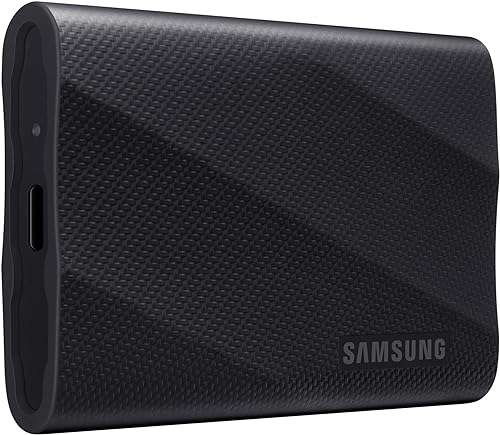
Samsung T9 Portable SSD 1TB: Best for demanding file transfers
- 1TB capacity
- Read and write speeds up to 2,000 MB/s
- Dynamic Thermal Guard
- Mac and PC compatibility
The T9 offers high stated speeds for demanding transfers and longer work sessions. Its maximum rate requires a host and cable that support USB 3.2 Gen 2x2.
Pros
- Up to 2,000 MB/s read and write
- Dynamic Thermal Guard
- Mac compatible
Cons
- 1TB capacity
- Maximum speed requires compatible host and cable
The Samsung T9 suits MacBook Air owners who move very large files and have a compatible connection. It offers read and write speeds up to 2,000 MB/s, but reaching that rate requires a host device and cable that support USB 3.2 Gen 2x2.
Samsung includes Dynamic Thermal Guard to manage heat during heavier use. The T9 works with Mac and PC, and its 1TB capacity suits current projects better than a large archive.
Check your MacBook Air's port and cable support before choosing the T9 for its peak speed. If your setup doesn't support the required connection, the speed advantage may not be available, so a less costly or larger-capacity drive may fit better.
LaCie Rugged USB-C 4TB: Best for rugged high-capacity storage

- 4TB capacity
- USB-C connection
- IP52 dust and drip protection
- Drop resistance up to 4 ft
This 4TB drive pairs a USB-C connection with protection against drops, dust and drips. Its stated 1-ton crush resistance adds protection for field work.
Pros
- 4TB capacity
- USB-C cable included
- Hardware encryption
Cons
- Mechanical drive rather than SSD
- USB 3.0 adapter is for legacy ports
The LaCie Rugged USB-C 4TB pairs high capacity with a protective enclosure for people who carry storage into demanding environments. It has IP52 dust and drip protection, drop resistance up to 4 ft and stated 1-ton crush resistance.
LaCie includes a USB-C cable and a USB 3.0 adapter for older ports. It also includes 256-bit AES hardware encryption and password protection, Rescue Data Recovery Services and a 3-year limited warranty.
This is a mechanical hard drive, so pick it for rugged storage and capacity rather than peak transfer speed. Its 4TB space suits a working archive you want to carry, but it isn't the best match for editing directly from a drive at SSD speeds.
WD My Passport 4TB: Best for roomy everyday backups

- 4TB capacity
- Portable design
- Password protection and hardware encryption
- Included backup software
The 4TB capacity suits file collections and backups that need more room than a small SSD. It includes backup software and password protection.
Pros
- 4TB capacity
- Backup software included
- Hardware encryption
Cons
- USB-A cable may require an adapter for some MacBook Air ports
- Mechanical drive rather than SSD
The WD My Passport 4TB offers 4TB of portable storage for backups, photos and documents. It includes device management software for backup and password protection with hardware encryption.
The included cable is USB-A, so check your MacBook Air's ports and add a compatible adapter if needed. Its compatibility information names desktop, laptop and tablet devices.
Choose it for a roomy everyday backup drive when a mechanical drive's transfer pace is acceptable. If simple Mac setup is your main concern, the My Passport Ultra for Mac comes formatted for macOS.
LaCie Rugged USB-C 2TB: Best for rugged mid-size storage

- 2TB capacity
- USB-C connection
- IP52 dust and drip protection
- Drop resistance up to 4 ft
A 2TB option for MacBook Air owners who want a rugged mechanical drive without choosing the 4TB version. It includes USB-C connectivity and hardware encryption.
Pros
- USB-C cable included
- Drop and crush resistance
- Hardware encryption
Cons
- Less capacity than the 4TB version
- Mechanical drive rather than SSD
The LaCie Rugged USB-C 2TB gives you the same general rugged-drive approach in a smaller capacity. Its USB-C connection, IP52 dust and drip protection, drop resistance up to 4 ft and 1-ton crush resistance suit a drive that travels with a laptop.
LaCie includes password protection with 256-bit AES hardware encryption, a USB-C cable and a USB 3.0 adapter. The drive also comes with Rescue Data Recovery Services and a 3-year limited warranty.
Choose this model if 2TB is enough for your archive and you want more room than a 1TB SSD. If you regularly keep large video libraries or multiple backups together, the 4TB version offers more space.
Lexar ES3 Portable SSD 1TB: Best for a slim carry drive

- 1TB capacity
- Read speeds up to 1,050 MB/s
- 45 g weight
- USB-C cable included
A slim 1TB SSD with a stated read speed up to 1,050 MB/s and a USB-C cable. Its compatibility list includes laptops, though full speed depends on the computer and cable.
Pros
- Slim, light design
- USB-C cable included
- 256-bit AES encryption software
Cons
- 1TB capacity
- Full speed requires USB 3.2 Gen 2 or higher
The Lexar ES3 is a slim 1TB SSD for a MacBook Air owner who wants portable storage with a USB-C cable included. It weighs 45 g and has stated read speeds up to 1,050 MB/s and write speeds up to 1,000 MB/s.
Lexar says the ES3 works with laptops and includes DataShield 256-bit AES encryption software. To reach its full stated speed, your computer and cable need USB 3.2 Gen 2 or higher.
Pick it for a lightweight carry drive for current files, not as the only home for a large media collection. Its 1TB capacity is modest for long-term storage, and the full speed depends on the connection.
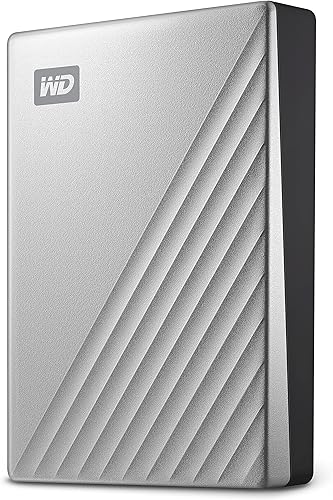
WD My Passport Ultra for Mac 4TB: Best for macOS-ready capacity
- 4TB capacity
- Formatted for Mac
- USB-C and USB 3.1 compatible
- 256-bit AES hardware encryption
This portable drive offers 4TB and comes formatted for Mac, which can simplify first use with a MacBook Air. It connects over USB-C or USB 3.1.
Pros
- 4TB capacity
- Formatted for Mac
- Hardware encryption
Cons
- Latest macOS version is recommended
- Mechanical drive rather than SSD
The WD My Passport Ultra for Mac offers 4TB of storage in a drive formatted for macOS. It supports USB-C and USB 3.1, so it can connect to a MacBook Air with a compatible port or connection.
The metal cover gives it a refined look. WD includes 256-bit AES hardware encryption and password protection to help safeguard stored files.
WD recommends keeping Mac computers updated to the latest macOS version. This is a mechanical hard drive, so it suits backups and stored files better than repeated large editing transfers where SSD speed may help.
LaCie Rugged Mini 1TB: Best for basic rugged storage
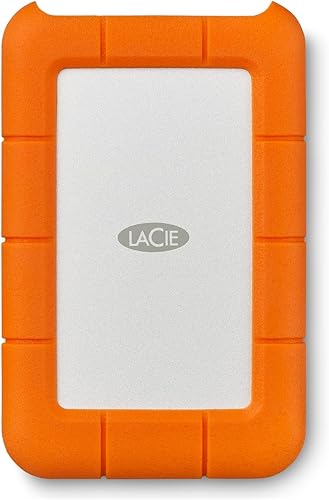
- 1TB capacity
- Shock and drop protection up to 4 ft
- Dust and water resistance
- USB 3.0 connection
This 1TB hard drive offers rugged protection for simple travel storage. Mac use requires reformatting, so plan for setup before moving files.
Pros
- Drop, dust and water resistance
- Password protection
- USB 3.0 connection
Cons
- Mac compatibility requires reformatting
- 1TB capacity
The LaCie Rugged Mini is a 1TB hard drive with shock, drop, dust and water resistance. Its USB 3.0 connection is also compatible with USB 2.0, and it includes password protection.
For Mac use, this model requires reformatting. Back up any files already on it before changing its format, since formatting can erase stored data.
Choose the Rugged Mini for basic storage that may travel with your MacBook Air and where the reformatting step is acceptable. Its capacity and mechanical drive design make it less suited to large, frequently edited project files than the SSD picks above.
How we chose these MacBook Air drives
The right MacBook Air drive depends on capacity, connection, stated speed, portability, protection and how much setup you can accept. We compared those factors and gave more weight to a direct fit for common laptop tasks, such as moving active project files or keeping a portable backup.
We separated SSDs from mechanical hard drives because they serve different jobs. SSDs are a practical choice for frequent transfers and active work, while the higher-capacity hard drives here suit backups and files you keep for reference.
A drive's maximum speed is only useful if the MacBook Air, port and cable can support it. That is especially relevant to the T9, which needs USB 3.2 Gen 2x2 for its stated top rate.
For a quick decision, start with your largest likely task. If you regularly move video or large photo folders, prioritize an SSD; if you mainly want a separate copy of documents and older files, prioritize capacity and a backup routine.
Compare the MacBook Air external drives
The T7 and SanDisk Extreme combine SSD performance with portable designs, while the WD and LaCie hard drives offer larger capacities. Check the connection, format and capacity that match your Mac before choosing.
| Product | Best for | Capacity | Drive type | Compatibility | Our score |
|---|---|---|---|---|---|
| Samsung T7 Portable SSD 1TB | fast everyday transfers | 1TB | Portable SSD | Mac, PC, smartphone and tablet | 9.0 |
| SanDisk Extreme Portable SSD 2TB | travel and field work | 2TB | Portable SSD | 8.9 | |
| Samsung T9 Portable SSD 1TB | demanding file transfers | 1TB | Portable SSD | 8.6 | |
| LaCie Rugged USB-C 4TB | rugged high-capacity storage | 4TB | Portable hard drive | 8.7 | |
| WD My Passport 4TB | roomy everyday backups | 4TB | Portable hard drive | 8.5 | |
| LaCie Rugged USB-C 2TB | rugged mid-size storage | 2TB | Portable hard drive | 8.2 | |
| Lexar ES3 Portable SSD 1TB | a slim carry drive | 1TB | Portable SSD | 8.0 | |
| WD My Passport Ultra for Mac 4TB | macOS-ready capacity | 4TB | Portable hard drive | 7.7 | |
| LaCie Rugged Mini 1TB | basic rugged storage | 1TB | Portable hard drive | 7.5 |
How do you choose the best external hard drive for MacBook Air?
Choose a drive by matching its connection, format, speed and capacity to what you plan to store. Start with the computer's ports and your main use, then decide whether you value quick transfers, rugged carrying or a larger backup destination.
Will the drive connect to your MacBook Air?
A drive connects directly when its cable fits an available port; otherwise, you'll need a compatible adapter or cable. Most picks here use USB, but the included cable differs: the WD My Passport includes USB-A, while the Samsung T7, LaCie Rugged USB-C models and Lexar ES3 include USB-C cables.
Don't assume that a USB-C connector guarantees the highest transfer speed. The T9's 2,000 MB/s maximum requires a host and cable that support USB 3.2 Gen 2x2, and other SSDs also rely on compatible ports and cables to reach their stated rates.
If you'll move the drive between a MacBook Air and another computer, check both computers' ports. A cable that works with one device may call for an adapter with another.
Does the drive come ready for macOS?
A drive formatted for macOS can reduce setup steps, which is why the WD My Passport Ultra for Mac is a straightforward choice for Mac-only use. The LaCie Rugged Mini requires reformatting for Mac compatibility, so plan for that before you copy files.
For other models, confirm the format and intended use before moving important files. Formatting can erase a drive, so first copy anything you need to keep; our guide to whether external hard drives need formatting explains the basics.
If you want to use one drive with both a Mac and a Windows PC, decide that before formatting. The format that best suits one computer may not be the most convenient choice for sharing files across both.
Should you buy an SSD or a mechanical hard drive?
Buy an SSD for frequent transfers, active projects and a compact drive you carry often. The Samsung T7, SanDisk Extreme, Samsung T9 and Lexar ES3 are SSDs in this selection.
Choose a mechanical hard drive when storage space matters more than fast transfers. The WD and LaCie models offer 2TB or 4TB options for backups and archives, and our guide to using an external SSD with a laptop covers the basic SSD workflow.
A mechanical drive can be a sensible match for a backup that runs while you do other work or for files you only open now and then. For editing directly from the drive, the SSD category is the more natural fit.
How much storage should you get?
Choose enough capacity for the files you intend to copy, with room for future growth. A 1TB SSD can suit current work files, while the 2TB and 4TB drives here give more space for larger collections.
For a backup, add up the folders you want to protect and leave room for new files. Don't choose a drive that only fits today's files if you expect to keep adding photo or video projects; our external hard drive size guide can help you estimate a useful capacity.
Also consider whether one drive will hold active files, a backup, or both. Keeping your only backup on the same drive as your working copy doesn't protect you if that drive is lost or damaged.
When is rugged protection useful?
Rugged protection matters when you carry a drive outdoors, between work locations or in a crowded bag. The SanDisk Extreme adds IP65 water and dust resistance and a carabiner loop, while the LaCie Rugged models offer IP52 dust and drip protection and drop resistance.
These features reduce some risks, but they don't make a drive invulnerable. Keep it dry when required, avoid rough handling, and maintain another copy of important files.
For a drive that mostly stays on a desk, rugged features may matter less than capacity, connection and ease of backup. Pay for protection that matches how you carry and use storage.
How do you set up and use a drive with a MacBook Air?
Connect the drive, confirm that macOS recognizes it, and check its format before saving files. If it needs reformatting, copy off any files you want to keep first because formatting may erase existing contents.
Start by plugging the drive into a matching port or using a suitable adapter. Open the drive in Finder and create a clearly named folder structure before copying files, such as separate folders for current projects, photos and completed backups.
For the first backup, copy a small group of files and open a few from the external drive to confirm the transfer worked. Then copy the rest, and keep the originals until you have checked the important folders.
When the drive is being used, avoid disconnecting its cable during file transfers. Eject it through macOS before unplugging; our guide to safely ejecting an external drive on Mac walks through safe removal.
What mistakes should you avoid with MacBook Air storage?
The most common mistakes are buying the wrong cable, assuming every drive is Mac-ready, relying on peak speed without checking the connection, and treating one drive as a complete backup. A few checks before the first transfer can prevent lost time and misplaced files.
- Check the cable before you buy. The WD My Passport includes USB-A, so some MacBook Air setups need an adapter. Confirm the connection you can use and keep the right cable with the drive.
- Don't format before checking for files. Reformatting may erase anything already stored. Copy off needed files before changing a drive's format.
- Don't buy only for a headline speed. The T9's maximum depends on USB 3.2 Gen 2x2 support from the host and cable. Your actual transfer rate depends on the whole connection.
- Don't fill a drive to its limit. Leave headroom for new files, and choose more capacity if you plan to keep several years of photos or video.
- Don't unplug during a transfer. Wait for copying to finish, close files using the drive, and eject it in macOS before disconnecting.
- Don't keep the only copy on one drive. A portable drive can be lost or damaged. Keep another copy of important files, such as a second drive or a separate backup method.
For a longer-term plan, compare external storage with other backup choices in our guide to external hard drives for long-term backup. You can also weigh a drive against online copies in external hard drive vs cloud storage.
Which external hard drive should you choose for MacBook Air?
Choose the Samsung T7 for a quick, compact SSD for everyday file transfers. Pick the WD My Passport 4TB for portable backups, the WD My Passport Ultra for Mac 4TB for macOS formatting, or the SanDisk Extreme for 2TB plus water and dust resistance.
For rugged mechanical storage, choose one of the LaCie Rugged USB-C drives based on whether 2TB or 4TB suits your files. If speed is your main concern, check the connection requirements before paying for a faster SSD, and use our long-term backup drive guide to plan where your second copy will live.
Our top 3 picks at a glance
-
1
-
2
-
3
Frequently asked questions
Can you use an external hard drive with a MacBook Air?
Yes. A MacBook Air can use an external drive through a compatible USB connection, though you may need an adapter if the drive's cable and your computer's ports don't match.
Check the drive's format before storing files.
The Samsung T7 and WD My Passport Ultra for Mac both list Mac compatibility.
Is an SSD or hard drive better for a MacBook Air?
An SSD suits frequent file transfers and active work because it is compact and offers faster stated speeds than the mechanical drives in this guide. A mechanical hard drive can give you more capacity for backups and older files.
Compare our external SSDs for everyday storage for more options.
Do you need to format an external hard drive for Mac?
Sometimes. The WD My Passport Ultra for Mac comes formatted for macOS, while the LaCie Rugged Mini requires reformatting for Mac compatibility.
Before formatting a drive, copy off any files you need because the process can erase stored data.
See our guide to formatting an external hard drive.
How much external storage should you get for a MacBook Air?
Choose capacity based on the files you plan to keep and the room you want for future backups. A 1TB SSD can suit active files, while a 4TB hard drive gives more space for larger collections.
Our external hard drive size guide can help you estimate your needs.