Does an External Hard Drive Need Its Own Power?
Some external hard drives need a power adapter, while others draw power through USB. Portable drives can use USB power, but check the exact model's setup instructions.
On this page (7 sections)
- Does an external hard drive need power from a wall outlet?
- Which external hard drives can run from USB power?
- Can a desktop drive be USB-powered?
- What should you check before connecting a drive?
- What if an external hard drive won't turn on?
- How do you choose between USB power and an adapter?
- Does an external hard drive need its own power?
Some external hard drives need a power adapter, while others draw power through USB. Portable drives can use USB power, while some desktop models need an adapter.
Check the exact drive's setup instructions before connecting it.
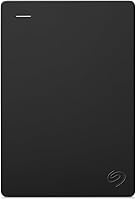
The Seagate Expansion Desktop 4TB includes an 18W power adapter and an 18-inch USB 3.0 cable. The Seagate Portable 1TB comes with an 18-inch USB 3.0 cable, and Seagate describes the One Touch Desktop 8TB as bus-powered over USB-C.
Does an external hard drive need power from a wall outlet?
A drive needs a wall outlet if its setup calls for a separate power adapter. Other models can draw power through USB, so they may not need a separate outlet.
The Seagate Expansion Desktop 4TB uses a power supply and USB cable. Its 3.5-inch form factor and adapter suit a stationary setup.
If you're comparing stationary options, see our guide to best desktop external hard drives. For larger storage choices, browse big external hard drives.
Which external hard drives can run from USB power?
A USB-powered drive gets its operating power through its USB connection. This can simplify setup when you want to carry the drive or avoid a separate power cord.
The Seagate Portable 1TB connects to a computer with its included 18-inch USB 3.0 cable. Its setup is described as plug and play for Windows or Mac, though Mac reformatting may be required.
A single cable can reduce clutter, but the drive's power depends on the connected device. If you need storage that stays in one place, compare this setup with an adapter-powered desktop model.
Can a desktop drive be USB-powered?
Yes, a desktop-style drive can be designed for USB power. Seagate describes the One Touch Desktop 8TB as bus-powered over USB-C, with no wall outlet required.
That description applies to this model. Check the connection and power instructions for the exact drive you plan to use.
This drive may suit a desk setup where a single USB-C connection matters, if your computer supports the connection. For more PC options, compare our picks for an external hard drive for a Windows PC.
What should you check before connecting a drive?
Check the drive's power instructions and connections before setup. The right power source depends on the exact model, your computer ports, and any hub or adapter between them.
Check whether the drive includes a power adapter and has a power input. If its setup calls for both a power supply and USB cable, connect both before using it.
If the drive uses USB power, connect it to a compatible computer port or suitable powered hub. A cable adapter changes the connector shape, but doesn't guarantee that the port can supply enough power.
For a laptop setup, our guide to using an external SSD with a laptop explains the connection basics. The guide applies to SSDs, but checking ports and cables also helps with external hard drives.
What if an external hard drive won't turn on?
Check the power source, cable connections, and computer port first. For an adapter-powered model, confirm the adapter is connected to the drive and a working outlet.
For a USB-powered drive, reconnect the cable and try a different compatible computer port. If you're using a hub, connect the drive directly to the computer to see whether the hub is involved.
Unusual clicking or repeated start-up sounds can signal a problem. Avoid repeated reconnections if the drive may be failing, and see our guide to why an external hard drive clicks for next steps.
How do you choose between USB power and an adapter?
Choose based on where you'll use the drive and how you want to connect it. USB power suits a one-cable setup, while an adapter-powered drive needs an outlet and can fit a stationary storage area.
Choose the Seagate Portable 1TB if carrying a portable drive and connecting it by USB suit your needs. Choose the Seagate Expansion Desktop 4TB if a fixed setup with a separate power supply works for you.
Choose the Seagate One Touch Desktop 8TB if its USB-C bus-powered setup suits your computer and you want 8TB of storage. Before deciding, check your computer's ports and the drive's power requirements.
If capacity is the larger question, use our guide to choosing an external hard drive size. For a broader look at storage types, compare an external hard drive with cloud storage.
Does an external hard drive need its own power?
Sometimes an external hard drive needs a wall outlet, and sometimes it draws power through USB. Check the specific drive's instructions and included cables, then match that setup to your computer and where you plan to keep it.
Pick a USB-powered model for a one-cable connection, or an adapter-powered model if you have a fixed spot near an outlet. If you plan to back up a PC, follow our guide to backing up Windows 11 to an external drive.
Frequently asked questions
Does every external hard drive need a power adapter?
No. Some drives get power through USB, while others use a separate adapter.
Check the drive's setup instructions and included cables for its power requirements.
A USB-powered drive still needs a compatible port or hub that can supply enough power.
How can I tell if my external hard drive needs its own power?
Check the drive's ports, included accessories, and setup instructions. A separate power adapter is a sign that the drive needs an outlet.
If it connects with one USB cable, it may be bus-powered, but confirm the requirements for your exact drive and computer.
Can a USB hub power an external hard drive?
It depends on the hub and the drive's power needs. A powered hub has its own adapter, but it still must meet the drive's requirements.
If a drive disconnects or fails to start, connect it directly to the computer or use the drive's supplied adapter.
Is a desktop external hard drive better than a portable one?
A desktop drive may suit a fixed setup where you want to keep storage in one place, while a portable drive is easier to carry. Power needs vary by model, so compare the connection and adapter requirements along with capacity and where you plan to use the drive.