External Hard Drive vs Flash Drive for Backup: Which Is Better? (November 2026)
Choose an external hard drive for full backups and a flash drive for small, portable file transfers. In the external hard drive vs flash drive for backup decision, capacity and long-term reliability point to the hard drive for most people.
On this page (10 sections)
- External hard drive vs flash drive for backup: the short answer
- The two drives side by side
- Capacity decides most backup jobs
- Speed matters more than you think for full backups
- Reliability and long-term storage
- Encryption and privacy on each type
- Durability, size and where each one lives
- Cost per gigabyte and what you get for it
- Which one should you buy?
- The verdict on external hard drive vs flash drive for backup
Choose an external hard drive for full backups and a flash drive for small, portable file transfers. In the external hard drive vs flash drive for backup decision, capacity and long-term reliability point to the hard drive for most people.
A flash drive wins when you want to copy photos off a phone or carry a few documents in your pocket. A hard drive wins when you need to protect a whole computer, a media library or years of files.
The two products below sit at opposite ends of that trade-off. The WD My Book 8TB holds terabytes and needs a wall outlet.
The Techkey MFi flash drive holds 128GB and plugs straight into a phone.
Both are useful, and most people benefit from owning one of each. The question is which one should hold your main backup.
External hard drive vs flash drive for backup: the short answer
The hard drive is the better backup drive for most readers. It stores far more data and is built for the long, sustained writes a full backup involves.
Flash drives are backup tools for a narrower job. They're best for copying photos and videos off a phone, or for carrying key documents between home, work and travel.
Capacity is the first divider. A 128GB flash drive holds a photo library or a folder of documents.
An 8TB desktop hard drive holds complete drive images, years of photos and a full media collection.
The second divider is how the drive is used. A backup drive sits connected and writes large amounts in one session.
A flash drive moves small batches and travels in a bag or pocket.

The two drives side by side
The table below shows why the desktop hard drive is the backup workhorse and the flash drive is the courier. Compare capacity, connection and physical size before you decide.
| Feature | WD My Book 8TB | Techkey MFi USB 3.0 Flash Drive |
|---|---|---|
| Capacity | 8 TB | 128 GB |
| Form factor | Desktop, sits on a desk | Pocket stick |
| Power | Wall adapter | USB port only |
| Interface | USB 3.0 | Lightning, USB 3.0 |
| Encryption | 256-bit AES hardware encryption | App-based passcode and Touch ID |
| Best job | Full system and media backup | Phone photo backup and file transfers |
The capacity gap is the headline. 8TB is 64 times the storage of 128GB.
For a computer with a 1TB drive, that's room for several full backups plus older versions.
The flash drive's advantage is reach. Its Lightning, USB and Type C connectors let it move photos from an iPhone to a PC without a cable or cloud account.
Capacity decides most backup jobs
An external hard drive holds a full computer backup; a flash drive rarely does. Start with the size of the data you need to protect.
A 128GB flash drive covers a phone photo library, a folder of tax records or a set of work documents. It fills up fast once you add video, RAW photos or a full system image.
The WD My Book 8TB gives you room to keep multiple backup versions. You can hold a full image of the system drive and still have space for a growing photo and video library.
The portable WD My Passport 5TB sits in between. It's smaller than a desktop drive but still holds far more than any flash stick, so it works for a laptop backup you carry home.
Think in terms of your largest single backup. A full drive image of a 1TB laptop won't fit on a 128GB flash drive at all.
That single fact rules out flash for system backups.
Speed matters more than you think for full backups
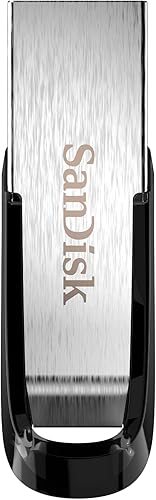
The SANDISK Ultra Flair's 150MB/s read speed beats the Techkey drive's 40MB/s for moving files. Speed decides how long you wait during a backup, especially the first full one.
SanDisk says the Ultra Flair transfers a full-length movie in under 30 seconds when both ends use USB 3.0. That speed comes from its USB 3.0 interface and metal casing.
The Techkey flash drive has 40MB/s read and write speeds. That's fine for phone photos and everyday documents, but slower for bulk transfers from a PC.
Hard drives are slower than the fastest flash drives in raw throughput. Their advantage is sustained writing across very large files.
A desktop drive can write hundreds of gigabytes in one pass without the slowdown small sticks can hit when they heat up.
For a backup that runs overnight anyway, speed matters less than capacity and reliability. For a flash drive you use to shuttle files during the day, speed matters a lot.
Reliability and long-term storage
Flash drives are convenient but not built to be your only archive. Hard drives and flash drives both need care, yet they fail in different ways.
Flash memory has a finite number of write cycles per cell. A flash drive used as a daily backup target wears faster than one used for occasional copies.
Mechanical hard drives have moving parts. A drop or a knock during a write can damage the drive.
Desktop models like the My Book sit still, which removes most of that risk.
For long-term storage, keep your main backup on a hard drive and refresh it periodically. Reconnect the drive and rewrite the backup every year or two so the data stays readable.
Our guide to the best external hard drives for long-term backup covers drive choice and storage habits in more depth. If you want network access from several devices, the external hard drive vs NAS comparison explains when a network drive is worth the extra setup.
Where flash drives still earn their place
The Techkey drive is MFi certified and built for phones. It moves photos and videos off an iPhone or iPad with a one-click app backup.
It also encrypts the whole drive with Touch ID or a passcode. That makes it a good carry-along for sensitive documents and family photos.
Treat it as a secondary copy. Keep the master backup on a hard drive and use the flash stick for the files you want with you.
Where a hard drive is the safer bet
The WD My Book 8TB uses 256-bit AES hardware encryption. The encryption runs on the drive, so it doesn't slow the backup down.
It also ships with backup software for device management and password protection. That combination makes it the better home for a scheduled, recurring backup.
The WD My Passport 5TB adds ransomware defense in its backup software. It's a sensible choice if you back up a laptop and carry the drive between locations.
Encryption and privacy on each type
Both drive types can encrypt your files, but they do it in different ways. Match the method to how sensitive your data is.
The My Book and My Passport drives use hardware encryption. The encryption chip sits in the drive enclosure, so your password protects the whole drive without slowing transfers.
The SANDISK Ultra Flair uses 128-bit AES password protection through software. That's a solid option for private files on a USB stick, though the setup lives on the computer side.
The Techkey flash drive encrypts through its app, using Touch ID or a passcode. You can encrypt the whole drive or just specific files.
Hardware encryption is the stronger default for a full backup. Software encryption is fine for a small set of files you carry with you.
Durability, size and where each one lives
A desktop hard drive stays put; a flash drive travels. Decide where the backup will live before you buy.
The My Book is a desktop unit with a wall adapter. It's meant to sit beside your computer and stay connected for scheduled backups.
The My Passport is a 2.5-inch portable in an aluminum and glass enclosure. It fits in a laptop bag and runs from the USB port alone.
Flash drives are the most portable of all. The SANDISK Ultra Flair has a metal casing for knocks in a bag.
The Techkey drive has a keychain design that clips to your keys.
Portability cuts both ways. A drive that travels is easy to lose.
A desktop drive stays safer at home but can't come with you.
Cost per gigabyte and what you get for it
Hard drives cost less per gigabyte, so the bigger backup is also the better value. Flash drives charge a premium for speed and pocket size.
An 8TB desktop drive spreads its price across far more storage than any 128GB stick. If you measure value by capacity per dollar, the hard drive wins clearly.
Flash drives earn their price through convenience. You pay for a stick that fits on a keyring and plugs into a phone without an adapter.
Budget drives like the SANDISK Ultra Flair sit in the mid-range for flash. The Techkey drive costs more because it adds Lightning and Type C connectors and phone backup software.
The practical split is simple. Buy the hard drive for storage and the flash drive for portability.
Which one should you buy?
Buy the WD My Book 8TB as your main backup drive and add a flash drive for phone files. That pairing covers both jobs without paying twice for the same role.
Here's how to match the four drives to your situation.
Pick the WD My Book 8TB if you back up a whole computer
Choose the My Book for a full system image, a media library or a family photo archive. Its 8TB capacity and hardware encryption make it the strongest backup home of the four.
It needs a power outlet, so plan a spot beside your desk or router. A wired connection is also the fastest way to run a first full backup.
If you need more space in the same style, our roundup of the best 4TB external hard drive options covers smaller desktop drives.
Pick the WD My Passport 5TB if the backup travels
Choose the My Passport when you back up a laptop and carry the drive between home and office. Its 5TB capacity still dwarfs any flash stick, and the slim body fits a bag.
The ransomware defense in its backup software adds a layer the flash drives don't offer. That suits anyone backing up work files on the move.
Pick the Techkey flash drive for phone photos
Choose the Techkey drive to move photos and videos off an iPhone, iPad or Android phone. Its three connectors and one-click app backup make it the easiest phone tool here.
The 128GB capacity fits a large photo library. It also encrypts files with Touch ID, which helps if the stick travels with you.
Pick the SANDISK Ultra Flair for fast everyday transfers
Choose the Ultra Flair for documents and media you shuffle between computers. Its 150MB/s read speed and metal casing make it the better everyday USB stick.
It's USB-A only, so phones need an adapter. That makes it a computer-first drive, not a phone backup tool.
When a cloud service or NAS makes more sense
If you want automatic off-site copies, a cloud service may suit you better. Our external hard drive vs cloud storage comparison weighs the trade-offs.
For backups shared across several computers and phones on one network, a NAS is the stronger fit. The external hard drive vs NAS guide explains the setup cost and the access benefits.
The verdict on external hard drive vs flash drive for backup
Pick an external hard drive for your main backup and a flash drive for portable copies. That's the split the external hard drive vs flash drive for backup comparison points to for almost every reader.
The WD My Book 8TB is the best overall backup drive here. Its 8TB capacity, hardware encryption and included backup software make it the right home for a full computer or media backup.
The Techkey flash drive is the best pick when your backup target is a phone. Its Lightning and Type C connectors and one-click app backup do a job no desktop drive can.
Choose the My Passport 5TB if you need a large backup you can carry. Choose the SANDISK Ultra Flair for fast file transfers between computers.
The rule is simple: keep the master backup on a hard drive, and let a flash drive carry the copies you need on the move.
Frequently asked questions
Can I use a flash drive as my only backup?
You can, but it's risky for a full computer backup. Flash drives hold limited data and lose storage cells over many write cycles.
Keep your main backup on a hard drive and use a flash drive for copies of key files you carry with you.
How long does a flash drive keep data without power?
Flash memory holds data for years when stored cool and dry, but it isn't a permanent archive. Hard drives can sit unpowered for years too, yet both need refreshing.
Reconnect and rewrite your backup every year or two to keep the data safe.
How much backup space do I need?
Plan for at least twice the size of the data you're protecting. A full computer backup often needs 1TB or more, while a phone photo library usually fits in 128GB.
Pick a drive with headroom so the next backup doesn't run out of room.
Do external drives need a power supply?
Desktop drives like the WD My Book 8TB need a wall outlet. Portable drives like the WD My Passport 5TB and all flash drives run from the USB port alone.
That makes portables easier to carry, though desktop drives are usually faster.