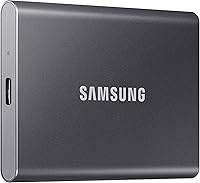
External SSD vs Internal HDD: Which Is Better? (November 2026)
Pick an external SSD for speed and portability, and an internal HDD for cheap bulk storage inside a computer. In this external SSD vs internal HDD comparison, your everyday task decides it: moving files between devices favors the SSD, while a large archive that stays put favors the hard drive.
On this page (9 sections)
Pick an external SSD for speed and portability, and an internal HDD for cheap bulk storage inside a computer. The external SSD vs internal HDD choice comes down to one question: do you move files between devices, or do you keep a large library in one place?
The two drives are built for different jobs. An external SSD like the SanDisk Extreme Portable SSD 2TB reads at up to 1050MB/s and slips into a pocket.
An internal HDD spins a platter inside your computer, stores far more per dollar and stays put.
This comparison covers speed, capacity, portability and everyday use. It also names the drive we would buy for each kind of reader.
 Best for small everyday backups
UnionSine 500GB Ultra Slim Portable External Hard

External SSD vs internal HDD: which should you buy?
Buy the external SSD if you move files or work away from a desk; buy the internal HDD if you want the most storage inside one machine. Most readers with a laptop and active projects should start with the SSD.
The speed gap is the headline. The SanDisk Extreme Portable SSD 2TB reaches up to 1050MB/s read and 1000MB/s write, and the Samsung T9 Portable SSD 2TB reaches up to 2,000MB/s on a USB 3.2 Gen 2x2 port.
The Seagate Portable 5TB uses a mechanical 2.5-inch hard drive spinning at 7200 rpm. The UnionSine 500GB model pairs a 5400 rpm drive with USB 3.0 and quotes read speeds up to 125MB/s.
Those are different classes of speed, and they change what the drive feels like to use.
The two side by side
The table below puts an external SSD next to an internal HDD on the points that decide a purchase. Speed and portability favor the SSD; capacity per dollar favors the hard drive.
| Product | Best for | Capacity | Connection | Speed | Our score |
|---|---|---|---|---|---|
| UnionSine 500GB Ultra Slim Portable External Hard | small everyday backups | 500GB | USB 3.0 | Up to 125MB/s read | 9.2 |
| SanDisk Extreme Portable SSD 2TB | creators on the move | 2TB | USB 3.2 Gen 2 | Up to 1050MB/s read | 8.9 |
| Samsung T9 Portable SSD 2TB | heavy video work | 2TB | USB 3.2 Gen 2x2 | Up to 2,000MB/s | 8.5 |
| Seagate Portable 5TB | big desktop archives | 5TB | USB 3.0 | 8.3 |
Read the table as a set of trade-offs, not a scoreboard. An SSD wins on responsiveness and travel, and a hard drive wins on how much data it can hold for the money.
Neither wins on every row.
What the speed difference feels like day to day
The SSD feels instant for large files; the hard drive feels steady but slower. The gap is clearest when you copy a folder of video or open a big photo library.
A drive rated at 1050MB/s can move several gigabytes in seconds on a fast USB port. A 125MB/s hard drive takes much longer on the same job.
For documents and small photo sets, both are quick enough that you may not notice.
The speed only counts if your computer's port supports it. USB 3.2 Gen 2x2, which the Samsung T9 needs for its top figure, is not on every laptop.
Check your port before you pay for speed you cannot use.
Speed and responsiveness
An external SSD wins on speed, and it is the difference you will notice first. Solid-state memory has no moving parts, so it responds quickly to reads and writes.
A mechanical hard drive has to spin its platters and move a read head to find data.
The Samsung T9 Portable SSD 2TB quotes sustained read and write speeds up to 2,000MB/s. The SanDisk Extreme Portable SSD 2TB quotes up to 1050MB/s read and 1000MB/s write.
Both are solid-state drives built for editing, transfers and running apps from the drive.
The Seagate Portable 5TB and the UnionSine 500GB model are mechanical. The Seagate runs its platters at 7200 rpm.
The UnionSine uses a 5400 rpm drive and quotes up to 125MB/s read and 103MB/s write. That second figure matters when you save large projects rather than read them back.
That speed matters most when you load large files or work from the drive. If you copy a folder of raw video, the SSD finishes in seconds and the hard drive takes minutes.
Our Samsung T9 review looks at how its speed holds up under long sessions.
Heat and long transfers
The T9's Dynamic Thermal Guard controls heat during heavy use; the SanDisk drive is built for travel rather than sustained speed. Long edits push an SSD harder than short copies do.
Samsung says its thermal solution keeps the T9 at ideal temperatures even in heavy use. That matters when you write hundreds of gigabytes in one session.
The SanDisk Extreme adds IP65 water and dust resistance and up to 3-meter drop protection, which suits a bag more than a desk.
The two hard drives handle heat in a different way. The UnionSine casing uses striped ridges that the maker says help dissipate heat alongside the grip design.
A 5400 rpm platter also runs at a lower speed than the Seagate's 7200 rpm drive, which suits light, steady use over long bursts.
Capacity and cost per gigabyte
The internal HDD wins on storage per dollar, and by a wide margin. Mechanical drives still hold far more data for the same money.
The Seagate Portable 5TB puts 5TB in one compact drive.
The SanDisk Extreme and the Samsung T9 each hold 2TB in solid-state form. The UnionSine model holds 500GB.
That gap is why a large archive belongs on a hard drive. A 5TB mechanical drive stores years of photos, video and backups at a budget-friendly price.
A 2TB SSD costs more but moves that data much faster.
Think about how much you will store before you choose. If your library is already past 2TB, the Seagate drive leaves room to grow.
If you mostly work with active projects under 2TB, the SanDisk or Samsung SSD keeps everything fast and within reach.
How much space your files really take
Photos and video decide the capacity you need, not the drive type. A large photo library and a few game installs can pass 2TB faster than many people expect.
Count your current library and add room for a year of growth. A 500GB drive suits documents and a modest photo collection.
A 2TB SSD covers most active creators. A 5TB hard drive handles a full archive plus backups.
The quoted capacities are not the whole story. Drive makers and operating systems count storage differently, so a 500GB drive shows about 465GB in your file manager.
A 2TB drive shows about 1.8TB. Plan against the smaller number, not the label on the box.
Portability and travel
The external SSD wins for travel, and the hard drive is better left on the desk. An SSD has no moving parts, so it handles being carried in a bag without the risk a spinning drive carries.
The SanDisk Extreme Portable SSD 2TB adds IP65 water and dust resistance and up to 3-meter drop protection. It also has a carabiner loop so you can clip it to a backpack.
The Samsung T9 weighs about 122 g and supports iPhone 15 ProRes 4K video at 60fps, which suits phone-based creators.
The Seagate Portable 5TB and the UnionSine 500GB are mechanical. They are fine on a desk, but a spinning drive in a bag is more fragile.
The UnionSine is very slim and quiet, with a JMicron 578 chip and striped casing for grip, so it suits light carrying between home and office.
Drives for phones and tablets
An external SSD is the better fit for a phone or tablet, because it moves large video files quickly. If you shoot on an iPhone 15 or 16, the Samsung T9 supports ProRes 4K at 60fps with the included cable.
For a wider set of options, see our roundup of the best external SSD for iPhone.
Reliability and data safety
The SSD wins on physical durability; the hard drive needs gentler handling. A solid-state drive stores data in memory chips with no moving parts.
A hard drive spins platters and moves a read head, so a knock during use can damage it.
Both drive types can fail, and neither replaces a backup. The SanDisk Extreme includes password protection with 256-bit AES hardware encryption.
Samsung's Magician software handles firmware updates, extra encryption and drive health monitoring for the T9.
The Seagate Portable 5TB includes a 1-year Rescue Service. The UnionSine model carries a three-year manufacturer's warranty.
Those are maker promises, not a guarantee your data survives a drop. Keep a second copy of anything you cannot lose.
Backups and the right drive type
An external SSD is faster for frequent backups, while an internal HDD offers more room for a large archive. For a deeper look at the trade-offs, our guide to SSD vs HDD for backup covers scheduling, redundancy and drive choice.
Compatibility and setup
Both types are easy to set up, but the SSD fits more devices without adapters. The SanDisk Extreme uses USB-C and works with desktops, laptops and tablets.
The Samsung T9 supports desktops, Macs, PCs, tablets, the Xbox Series S and iPhone 15 ProRes video.
The Seagate Portable 5TB works with Windows and Mac, and with PS4 and Xbox consoles. The UnionSine 500GB works with Windows, Mac, Linux and Android, plus PC, laptop, PS4, Xbox and TV.
It also notes that PS4 consoles need a 250GB or larger drive and an updated firmware.
An internal HDD installs inside a desktop or laptop bay. That means opening the case and, on many laptops, replacing the existing drive.
An external SSD needs only a free USB port, which makes it the simpler choice for most people.
Which port do you need?
Match the drive to the port on your computer, or you will not get its top speed. USB 3.2 Gen 2x2 is needed for the Samsung T9's 2,000MB/s figure.
USB 3.2 Gen 2 covers the SanDisk Extreme's 1050MB/s.
The two hard drives run on USB 3.0.
A slower port still works; the drive just runs below its rated speed. Check your laptop's spec sheet or the port labels before you buy.
Who should buy which?
Most readers with a laptop and active projects should buy the external SSD. Readers building a large archive inside a desktop should buy the internal HDD.
Choose the SanDisk Extreme Portable SSD 2TB if you edit photos or video on the go and want a tough, fast drive with encryption. Choose the Samsung T9 Portable SSD 2TB if your work is heavy video and your computer has a USB 3.2 Gen 2x2 port.
For more solid-state options, our roundup of the best external SSD for everyday storage covers the field.
Choose the Seagate Portable 5TB if you want to back up a whole library and keep it on a desk. Choose the UnionSine 500GB if you need a small, quiet, budget-friendly drive for documents and light backups.
Pick the internal HDD only when you want storage installed inside a computer and you rarely move it.
Pick by task, not by label
Start from the job you do most, then choose the drive type. Editing video and carrying files favors an SSD.
Archiving a large library on a desktop favors a hard drive.
A mixed setup with both is a sensible answer for many households.
The verdict
The external SSD is the better buy for most readers in the external SSD vs internal HDD question. It is faster, easier to carry and simple to connect, and the 2TB SanDisk Extreme balances speed, capacity and travel protection.
The internal HDD still has a clear place. When you need the most terabytes for your money inside a desktop, an internal hard drive is the practical pick.
The Seagate Portable 5TB is the best external HDD alternative for bulk storage, and the UnionSine 500GB is the light, quiet option for small backups.
If you move files often, buy the SSD first and add a hard drive later for bulk storage. If your library lives in one computer, the hard drive does the job at a lower cost per gigabyte.
For the full set of picks, see our roundup of the best external SSDs.
Frequently asked questions
Is an external SSD faster than an internal HDD?
Yes. An external SSD like the SanDisk Extreme moves data at up to 1050MB/s, while a 2.5-inch 5400 rpm hard drive tops out around 125MB/s.
The gap shows most when loading large files or running an app from the drive.
Can I use an external SSD as my main drive?
You can run a system or app from an external SSD over USB 3.2, and it will feel close to an internal solid-state drive. An internal HDD is the better fit when you want large storage installed inside the computer and rarely move it.
Which lasts longer, an SSD or an HDD?
An SSD has no moving parts, so it handles bumps and travel better. A hard drive stores data on spinning platters and a moving head, which makes it more fragile in a bag but fine on a desk.
Do I need both an external SSD and an internal HDD?
Many people do. Use the internal HDD for a large library that stays in the computer and the external SSD for active projects you carry.
That split keeps bulk storage cheap and everyday work fast.
Which is better for backups?
An external SSD is faster for frequent backups and easier to carry, while an internal HDD offers more capacity per dollar for a large archive. For a fuller comparison, see our guide to SSD vs HDD for backup.