WD My Passport vs Seagate Portable: Which Is Better? (October 2026)
Choose WD My Passport for backup software, password protection and hardware encryption; choose Seagate Portable for simple setup. Both are 4TB portable hard drives for computer files.
On this page (6 sections)
Choose Seagate Portable for simple plug-and-play setup, or WD My Passport for backup software and file-protection features. Both are 4TB portable hard drives, so the main difference is how much help you want with backup and security.
My Passport includes backup software with ransomware defense, password protection and hardware encryption. Seagate Portable connects to a Windows or Mac computer without requiring software.
Both are mechanical hard drives for storing and moving files. If you want to compare more capacities, see our best 4TB external hard drives.


WD My Passport vs Seagate Portable: what is the main difference?
My Passport adds backup and file-protection tools; Seagate keeps setup simple. Choose by the work you want the drive to do after you connect it.
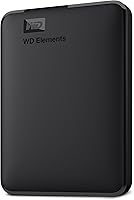
WD includes device management and backup software with defense against ransomware. My Passport also supports password protection and hardware encryption.
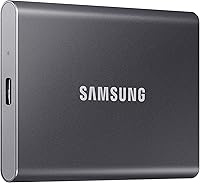
Seagate Portable is set up for automatic recognition when connected to a computer. Connect it, then drag and drop files.
Both models have 4TB of storage. Capacity won't decide this matchup, but your preference for backup tools or basic file transfer might.
Which drive is easier to set up?
Seagate Portable is the simpler choice if you want no software installation. WD My Passport includes software that offers backup and security features.
With Seagate, connect the drive to a computer and it should be recognized automatically. The included 18-inch USB 3.0 cable supports that plug-and-play setup.
My Passport comes with a USB-A cable and software for backup and device management. You can choose whether to use those tools.
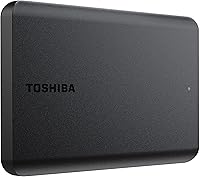
Toshiba Canvio Basics is another simple option for Windows users. It comes pre-formatted for Windows and requires no software installation, though Mac computers need a reformat.
Which is better for backups?
My Passport is the stronger fit if you want backup software included. Seagate Portable can hold copied files, and its described setup centers on manual drag-and-drop transfers.
A backup is most useful when it captures changes regularly. WD's software gives you a bundled way to manage backups, while Seagate's simple setup leaves you free to use your own backup tool or copy files by hand.
For a Windows computer, our guide to backing up Windows 11 to an external drive walks through the process. Keep a second copy of files you can't replace, since a single external drive can fail or be lost.
Is WD My Passport's file protection useful?
Password protection and hardware encryption can suit files you want to keep behind an access barrier. WD also includes backup software with ransomware defense.
These features are a reason to choose My Passport over a basic storage drive. They don't ensure that every threat is prevented, and they don't protect against damage to the drive itself.
Use a strong password you can keep safe, and maintain another copy of important files. If you want to compare another WD portable model, read WD Elements vs My Passport.
Which drive works better with Windows or Mac?
Seagate Portable is designed for Windows and Mac, while Toshiba Canvio Basics needs Mac reformatting. Check your computer's ports and file-system needs before moving files.
My Passport is compatible with desktop, laptop and tablet devices, and its USB-A cable connects to many computers. A newer laptop may need an adapter if it lacks a USB-A port.
Seagate Portable is designed for Windows or Mac computers and uses USB 3.0. It is also compatible with a Sony PlayStation 4.
Toshiba's NTFS format is ready for Windows PCs. Mac users need to reformat the drive, which can erase existing files, so do that before loading anything you want to keep.
What do you get with each 4TB drive?
Each drive offers 4TB of stated capacity, but their bundled tools and cables differ. My Passport includes backup software and a USB-A cable; Seagate includes an 18-inch USB 3.0 cable and requires no software.
Toshiba Canvio Basics includes a USB cable and does not need an external AC power cord. Its matte finish is designed to resist smudges.
Actual formatted storage capacity may vary. Available file space can depend on the file system and how the drive is set up.
If you're unsure whether 4TB fits your photo library, video files and backups, use our guide to choosing an external hard drive size. It helps you estimate storage from the files you plan to keep.
Which one should you choose?
Pick Seagate Portable for simple setup, or WD My Passport for bundled backup and file-protection features. Choose Toshiba Canvio Basics if you mainly need straightforward Windows storage and are comfortable reformatting it for a Mac.
Match the included features to your habits: backup and encryption tools favor WD, while manual transfers and automatic recognition favor Seagate.
Our external hard drive vs cloud storage comparison can help if you're deciding whether a portable drive should be your only backup method. A local drive is convenient, but a separate backup location adds another copy if the drive is damaged or misplaced.
How our scores work
Our score weighs specs, features and buyer feedback against what you're shopping for. Seagate scores 8.6 for simple setup and compatibility with Windows or Mac computers, while My Passport scores 8.5 for its backup and protection features.
Toshiba scores 7.8 as a basic-storage alternative, with the Mac reformat step affecting convenience.
Our verdict on WD My Passport vs Seagate Portable
Choose Seagate Portable for a straightforward setup without software, or WD My Passport if backup software, password protection and hardware encryption matter most. Both provide 4TB, so decide based on setup and file-protection needs.
For more choices at this capacity, compare the best 4TB external hard drives.
WD My Passport 4TB and Seagate Portable 4TB links should use rel="sponsored nofollow" when rendered by the site.
Frequently asked questions
Which is better, WD My Passport or Seagate Portable?
WD My Passport suits you if you want backup software, password protection and hardware encryption. Seagate Portable is the simpler choice if you want to connect a 4TB drive and move files without installing software.
Both are portable external hard drives for computer storage.
Does WD My Passport or Seagate Portable work with a Mac?
Seagate Portable is designed for Windows and Mac computers. WD My Passport is compatible with desktop, laptop and tablet devices, but check your Mac's ports and file-system needs before setup.
Toshiba Canvio Basics requires reformatting for Mac.
Does Seagate Portable need software?
No software is required for Seagate Portable's setup. Connect it to a computer and it is designed to be recognized automatically, then you can drag and drop files.
You may choose separate backup software if you want scheduled copies rather than manual file transfers.
Does WD My Passport include password protection?
Yes. WD My Passport includes password protection and hardware encryption, along with device management and backup software that includes ransomware defense.
These features can help protect files, but they don't replace keeping another copy of important data somewhere separate.